Browser Automation 3.0
Duration: Oct 2024 – Dec 2024
Technologies: Python, Selenium WebDriver, HTML/CSS/JavaScript, GitHub Pages
Category: Automation, Web Scraping, Cross-Platform Development
Description
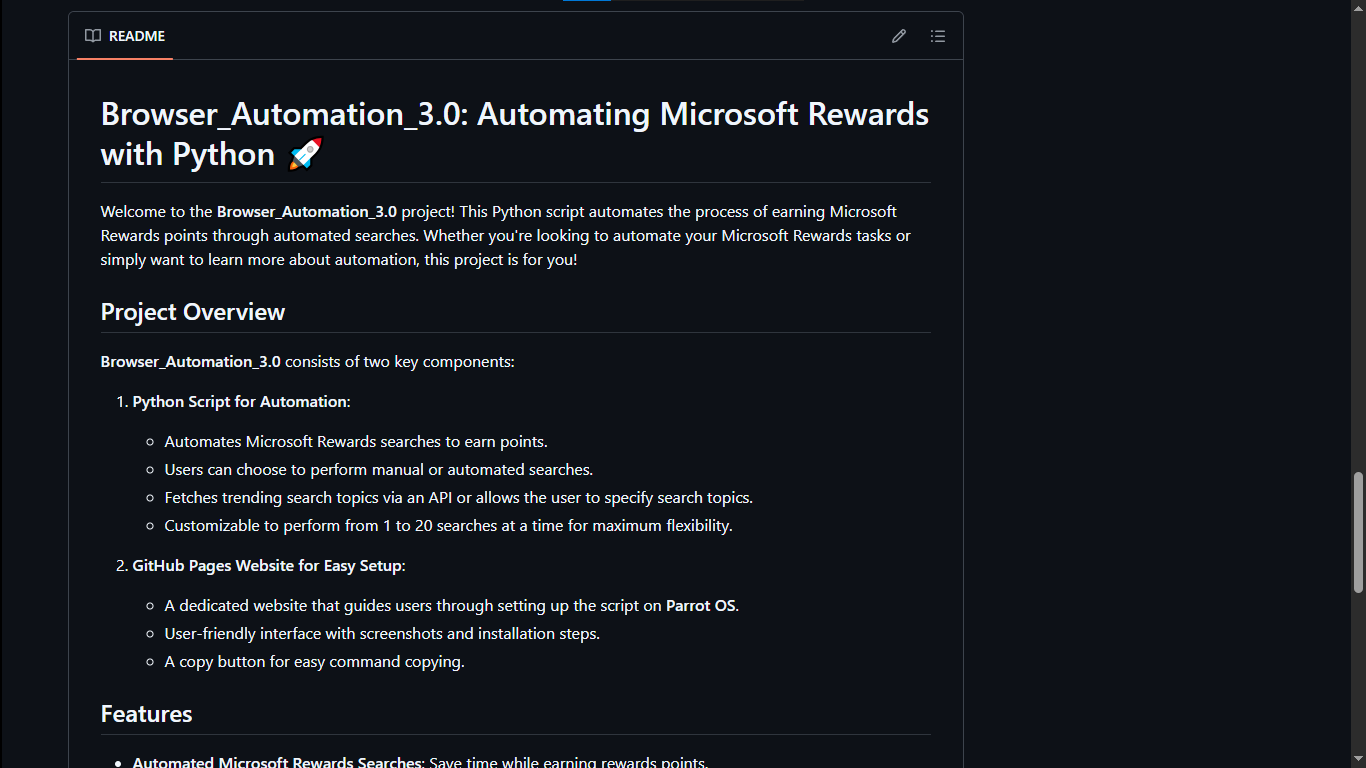
Browser Automation 3.0 is a sophisticated cross-platform Python automation tool designed to automatically earn Microsoft Rewards points through intelligent search automation. The project features an interactive GitHub Pages website that provides comprehensive setup guides, making installation seamless across Windows and Parrot OS (Linux) environments.
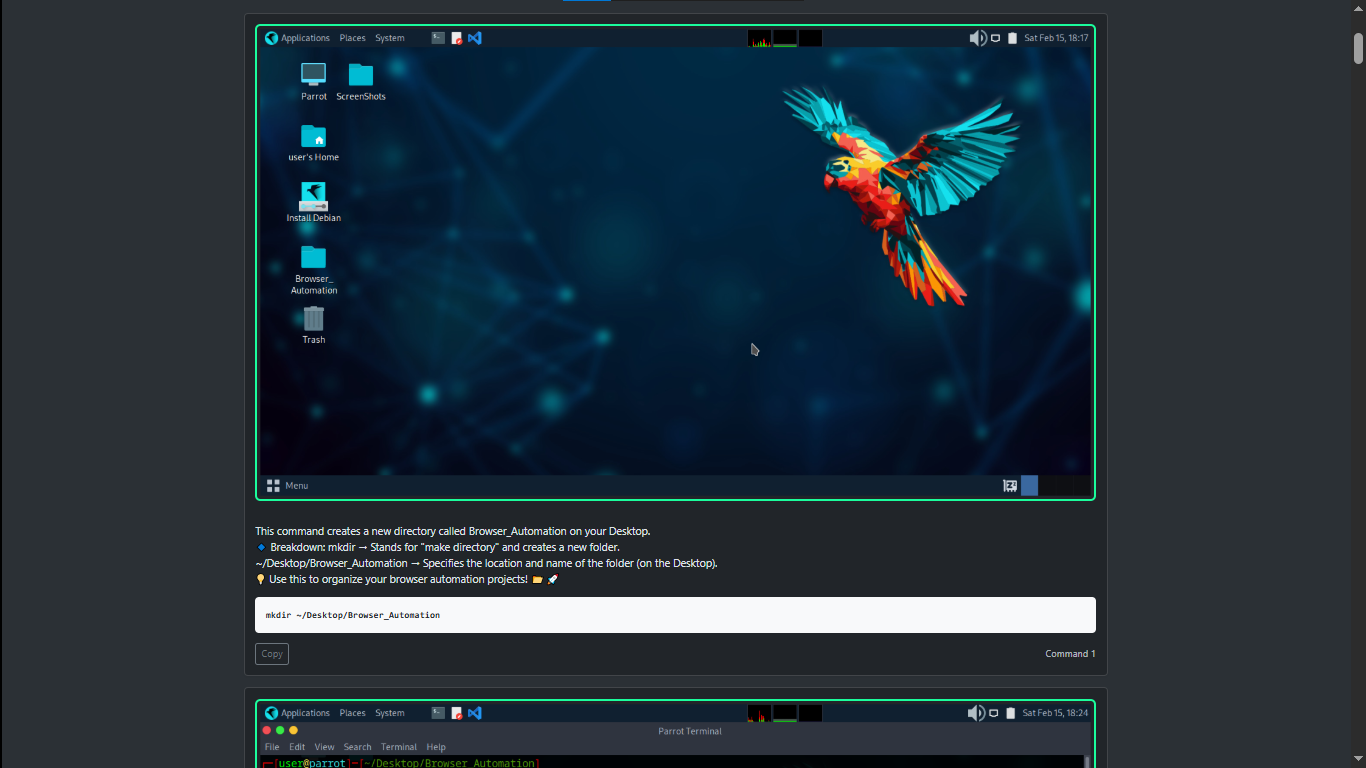
The tool leverages Selenium WebDriver for browser automation and integrates with trending topics APIs to perform realistic searches, mimicking human behavior to maintain account safety. The accompanying website features step-by-step instructions, command-line snippets with copy-paste functionality, and visual guides for easy deployment.
Key Features & Achievements
- Cross-Platform Compatibility: Seamlessly runs on Windows and Parrot OS (Linux) with environment-specific configurations
- Intelligent Search Automation: Automated Bing searches using trending topics API for realistic search patterns
- Interactive Setup Website: Built comprehensive GitHub Pages documentation with visual guides and copy-paste commands
- Customizable Parameters: Configurable search counts (1-20 searches per session) and timing intervals
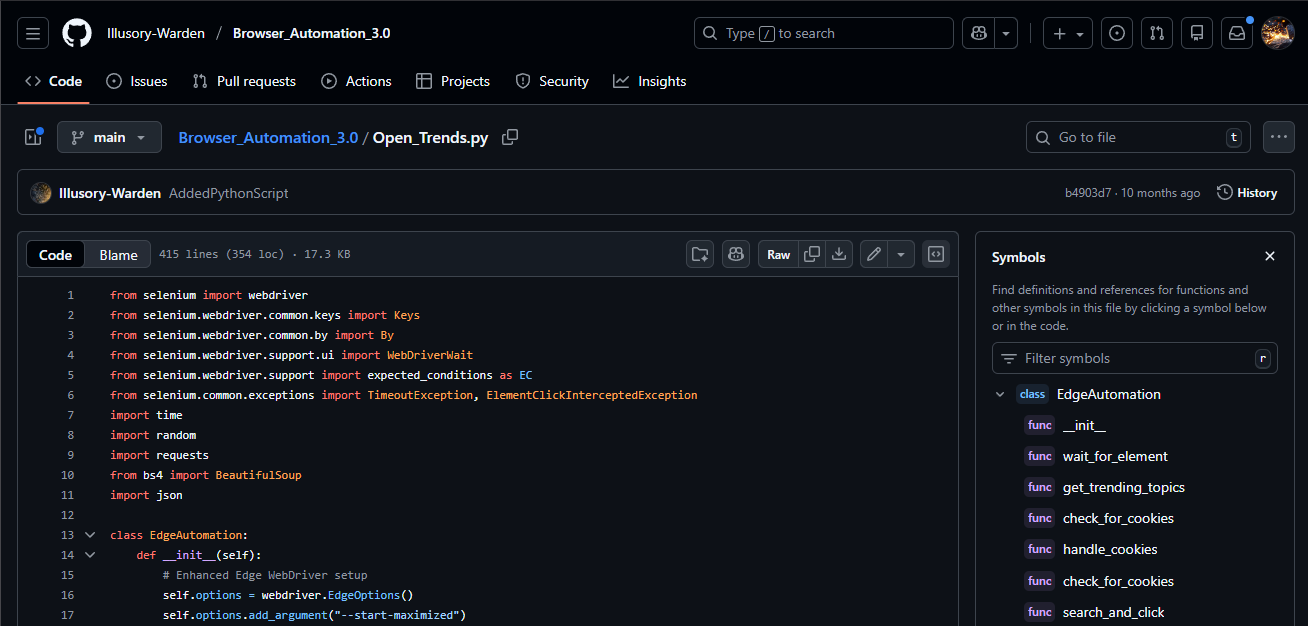
- Selenium WebDriver Integration: Robust browser automation with error handling and anti-detection measures
- User-Friendly Interface: Command-line interface with clear prompts and progress indicators
- API Integration: Trending topics fetched from external APIs for varied and relevant search queries
- Safety Features: Random delays and human-like behavior patterns to avoid detection
Technical Architecture
- Python 3.x with Selenium WebDriver for browser control and automation
- ChromeDriver/GeckoDriver for browser compatibility
- Multi-threaded execution for efficient processing
- Error handling and recovery mechanisms
- Trending topics API for dynamic search query generation
- RESTful API calls with JSON parsing
- Fallback mechanisms for API unavailability
- Rate limiting to prevent API throttling
- Static HTML/CSS/JavaScript hosted on GitHub Pages
- Responsive design for mobile and desktop viewing
- Interactive code snippets with copy-to-clipboard functionality
- Step-by-step visual guides with screenshots
How It Works
- User downloads the project from GitHub repository
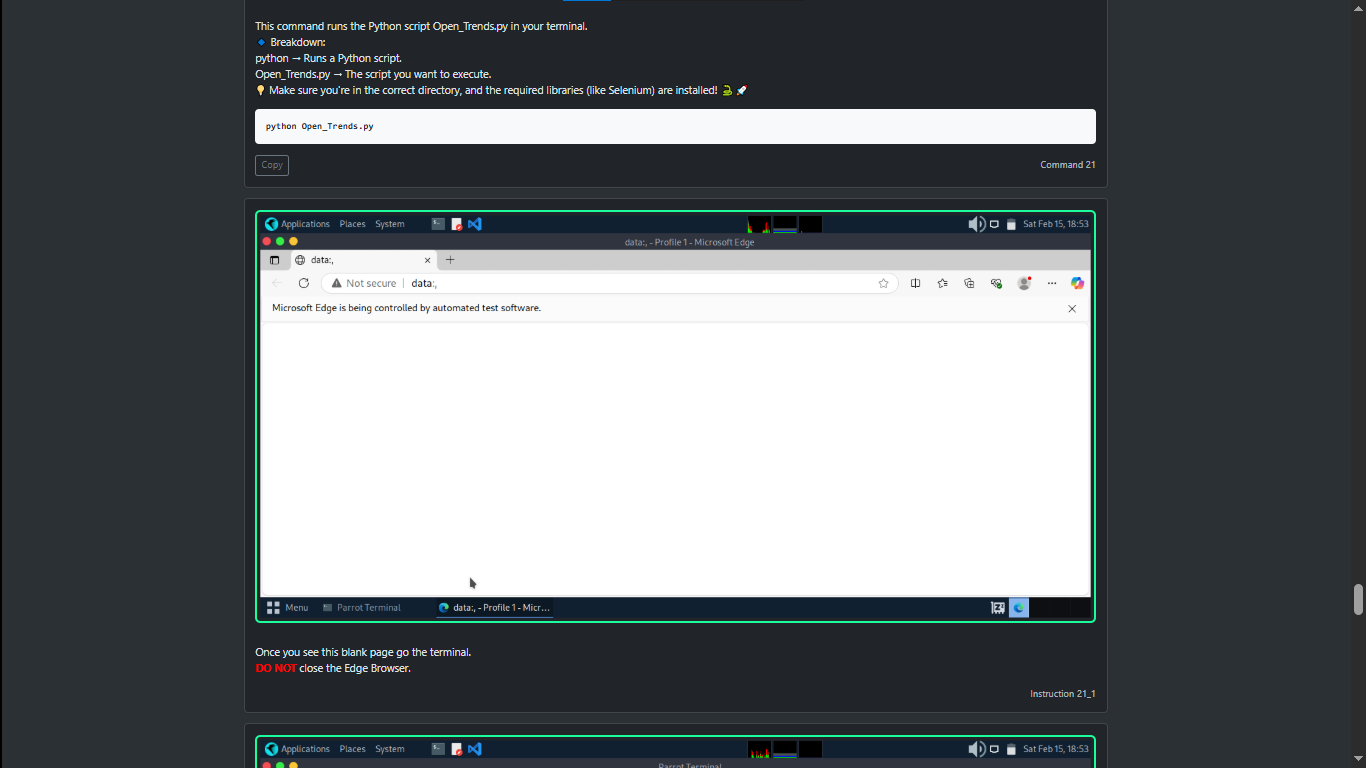
- Installs Python dependencies using pip (selenium, requests, etc.)
- Downloads appropriate WebDriver for their browser
- Configures environment variables and paths
- User sets search count preferences (1-20 searches)
- Configures Microsoft account credentials (optional)
- Sets timing intervals between searches
- Customizes browser preferences (headless mode, window size)
- Script fetches trending topics from API
- Initializes browser session with Selenium WebDriver
- Navigates to Bing and performs automated searches
- Implements random delays to mimic human behavior
- Tracks progress and displays results in real-time
- Script completes specified number of searches
- Generates summary report of actions taken
- Closes browser session gracefully
- Logs session details for future reference
Technical Challenges & Solutions
Different operating systems have varying file paths, command syntaxes, and WebDriver configurations. Windows uses backslashes for paths while Linux uses forward slashes, and driver executables have different extensions (.exe vs no extension).
Solution: Implemented platform detection using Python's `platform` module to automatically adjust file paths, driver names, and commands based on the detected OS. Created separate installation scripts for Windows (batch) and Linux (shell) with OS-specific instructions in the documentation website.
Automated browsers are often detected by websites through various fingerprinting techniques, including WebDriver flags, consistent timing patterns, and missing browser extensions. Microsoft Rewards has detection mechanisms to prevent automation abuse.
Solution: Implemented multiple anti-detection techniques including randomized delays between actions (2-8 seconds), human-like mouse movements, varied search queries using real trending topics, and browser profile customization to remove automation indicators. Added user-agent rotation and cookie management.
Trending topics APIs can be rate-limited, experience downtime, or return incomplete data. Without proper fallback mechanisms, the automation would fail if the API is unavailable.
Solution: Implemented a multi-tiered fallback system with three levels: primary API, secondary backup API, and local fallback list of generic search terms. Added retry logic with exponential backoff for API requests and caching of successful API responses for temporary offline usage.
Real-World Impact & Use Cases
- Time Savings: Automates repetitive daily search tasks, saving 10-15 minutes per day for users
- Microsoft Rewards: Helps users earn rewards points passively for gift cards and subscriptions
- Learning Tool: Demonstrates practical web automation techniques for educational purposes
- Cross-Platform Development: Showcases skills in building tools that work across different operating systems
- Documentation Best Practices: Sets standard for clear, user-friendly technical documentation
- API Integration: Practical example of combining multiple APIs in a single application
Technical Implementation Details
- Selenium WebDriver for browser automation and element interaction
- WebDriverWait for explicit waits and synchronization with page loads
- Exception handling for robust error recovery
- Browser options configuration for headless and stealth modes
- Requests library for HTTP calls to trending topics APIs (Google Trends, Twitter API)
- JSON parsing for extracting relevant search terms
- Error handling for network failures and rate limiting
- Response validation and data sanitization
- Static HTML/CSS with vanilla JavaScript for interactivity
- Responsive CSS grid and flexbox layouts
- Clipboard API integration for copy-paste command functionality
- Markdown-style syntax highlighting for code blocks
- Random sleep intervals using Python's random module (2-8 seconds)
- User-agent spoofing with rotating browser profiles
- Browser automation flag removal from WebDriver
- Session management with cookie persistence
Technologies & Tools Used
- Core Language: Python 3.x
- Automation Framework: Selenium WebDriver 4.x with ChromeDriver
- API Integration: Requests library for RESTful API calls
- Frontend: HTML5, CSS3, JavaScript for documentation website
- Hosting: GitHub Pages for static site hosting
- Version Control: Git/GitHub for code management and collaboration
- Development Tools: Visual Studio Code, Python virtual environments
- Testing: Manual testing across Windows 10/11 and Parrot OS
Learning Outcomes & Skills Demonstrated
- Web Automation: Mastered Selenium WebDriver for complex browser automation tasks
- Cross-Platform Development: Built software that runs seamlessly on multiple operating systems
- API Integration: Successfully integrated external APIs with error handling and fallbacks
- Technical Documentation: Created comprehensive user-friendly documentation website
- Anti-Detection Techniques: Implemented strategies to avoid automated detection systems
- Problem Solving: Overcame challenges related to platform differences and API reliability
Future Enhancements
- GUI application using Tkinter or PyQt for non-technical users
- Scheduled execution with cron jobs (Linux) or Task Scheduler (Windows)
- Multi-account support for managing multiple Microsoft accounts
- Email notifications for completion status and rewards earned
- Enhanced logging with detailed analytics and statistics
- Mobile support through cloud-based execution
- Integration with other rewards programs beyond Microsoft
- Machine learning for optimizing search patterns