Configure Local System & Raspberry Pi
This phase bridges the gap between your local computer and the Raspberry Pi. You’ll configure tools, environments, and access methods that allow both systems to communicate efficiently.
Once completed, you’ll be able to manage, automate, and interact
with your Raspberry Pi seamlessly from your local machine.
👇👇👇👇👇
PHASE_3_START
⚠️ Important Notice:
You’ve now created your own NAS successfully using
OpenMediaVault! 🎉
From this point onward, you will learn how to
connect your NAS to your PC or Laptop
— whether on Windows, macOS, or Linux.
🛠️ These steps involve file sharing, network access, and
authentication setups.
Please follow all instructions carefully to ensure
seamless access!
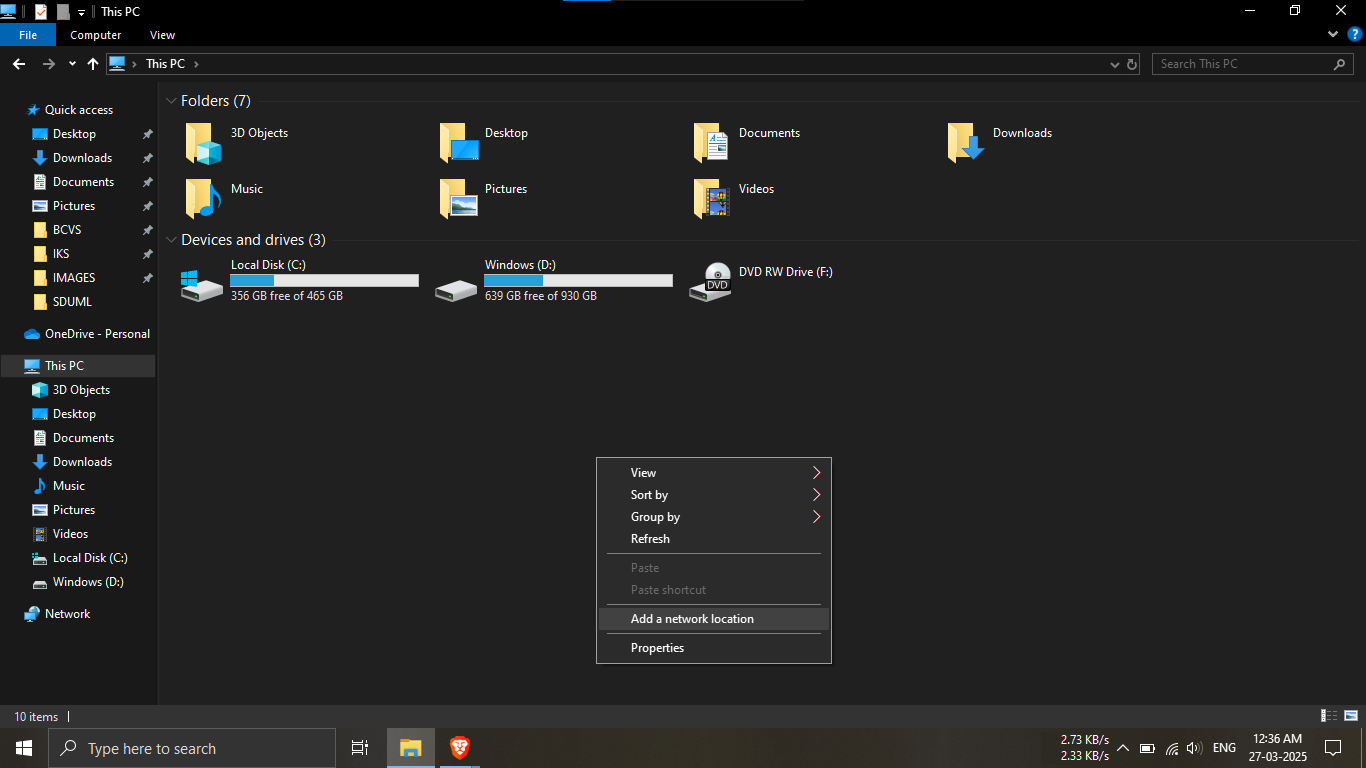
Step 22.1: Open File Explorer and navigate to “This
PC”.
🔹Breakdown:
-----Right-click anywhere in the blank space.
-----From the context menu, click
"Add a network location".
💡 This will begin the process of linking your NAS to
Windows File Explorer!
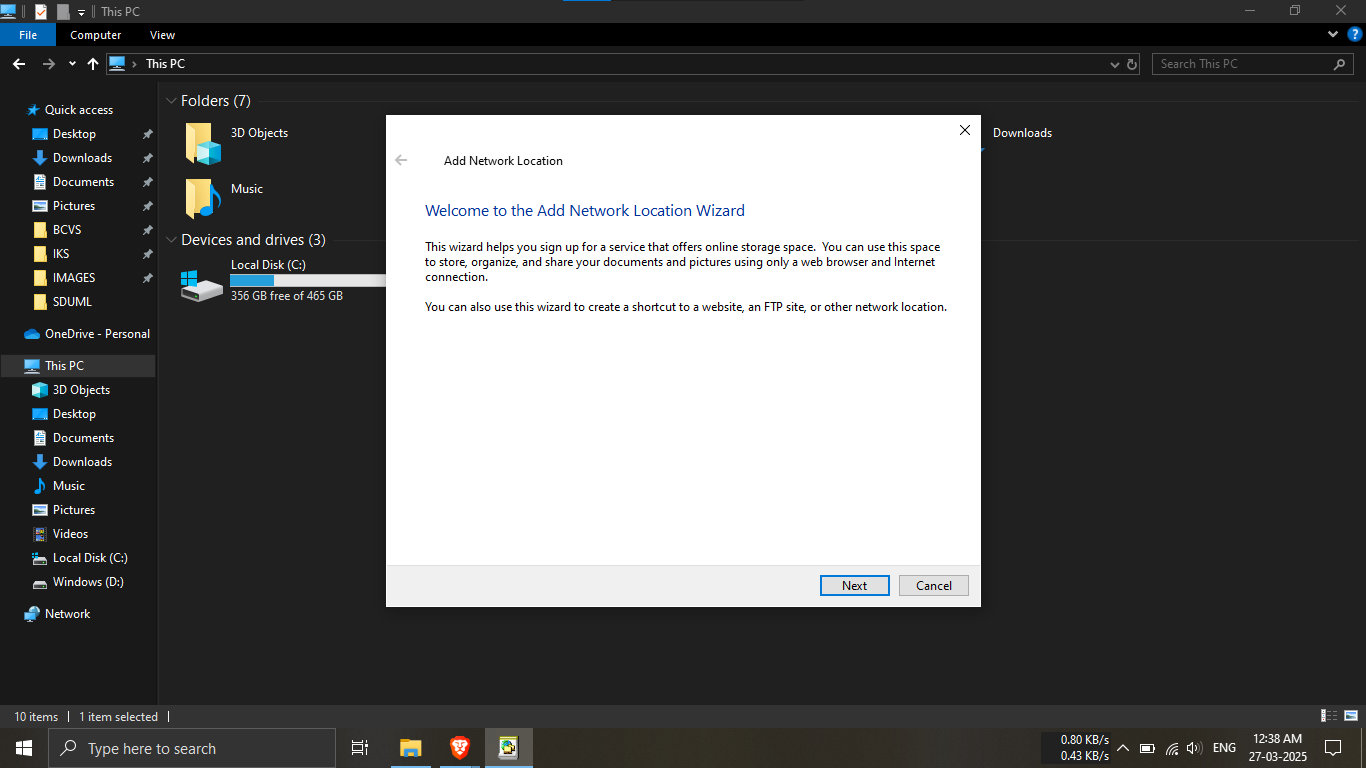
Step 22.2: A wizard window appears.
🔹Breakdown:
-----Click the "Next" button to continue
setup.
🧙 This wizard helps guide your network folder
connection.
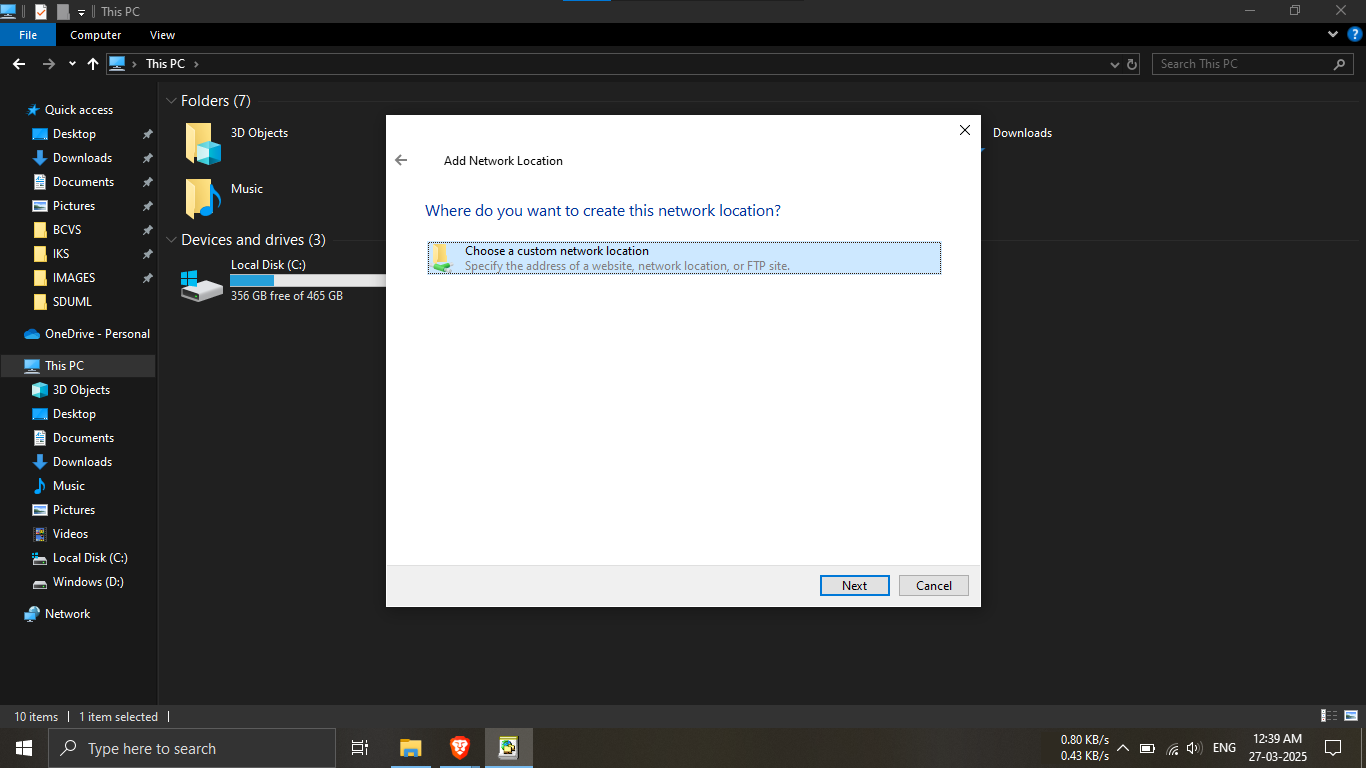
Step 22.3: Select
“Choose a custom network location”.
🔹Breakdown:
-----Highlight that option in the list.
-----Click "Next" to continue.
🌐 You're now pointing to your Raspberry Pi network
location!
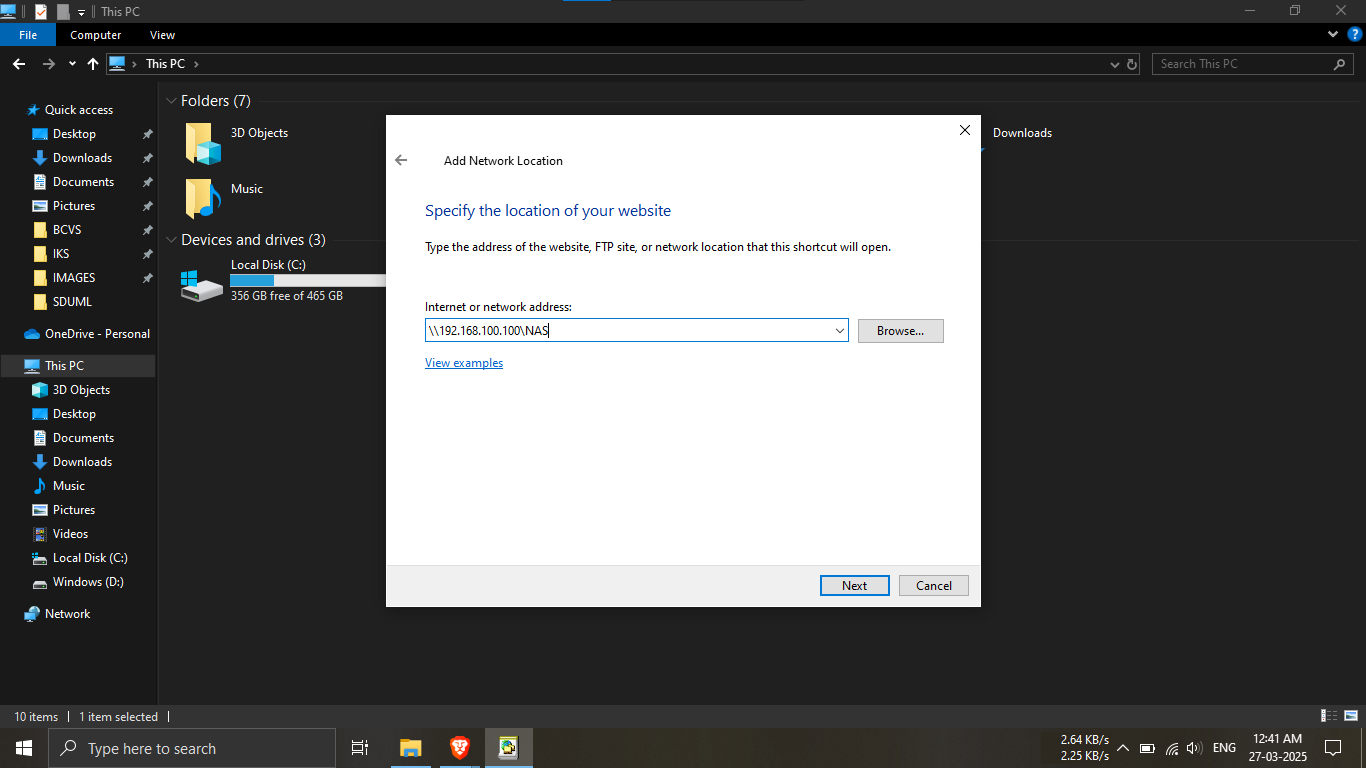
Step 22.4: Type the address of your NAS.
🔹Breakdown:
-----Under the “Internet or network address” input
box:
-----Enter:
\\<ip_address_of_RPI>\<Shared_Folder_Name>
-----Example: \\192.168.100.101\NAS
-----Click "Next" to continue.
💡 Make sure the shared folder exists from Step 17.9!
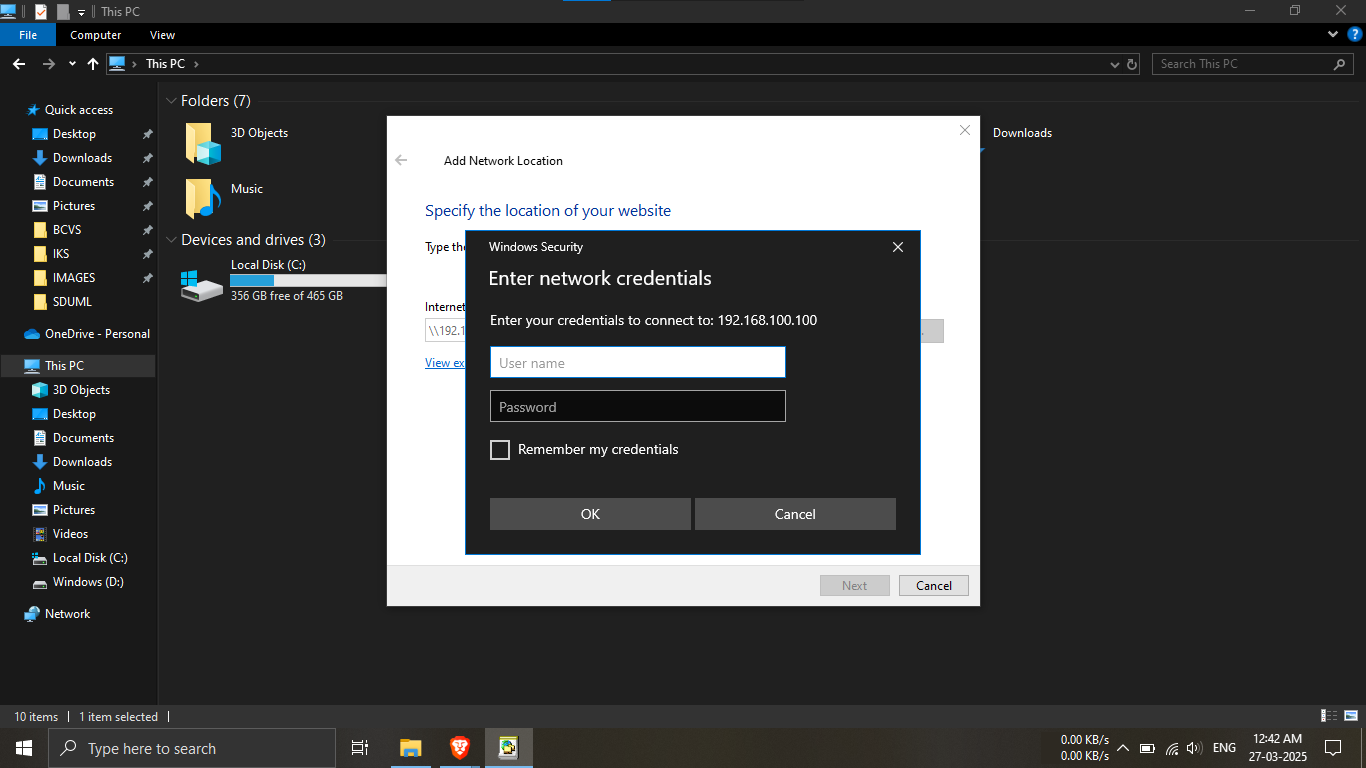
Step 22.5: Windows Security popup will appear.
🔹Breakdown:
-----Enter your username and password.
-----These are the credentials created in
Steps 21.1, 21.2, and 21.3.
-----Tick the checkbox
"Remember my credentials".
-----Click "OK".
🔐 This step secures access between your PC and NAS.
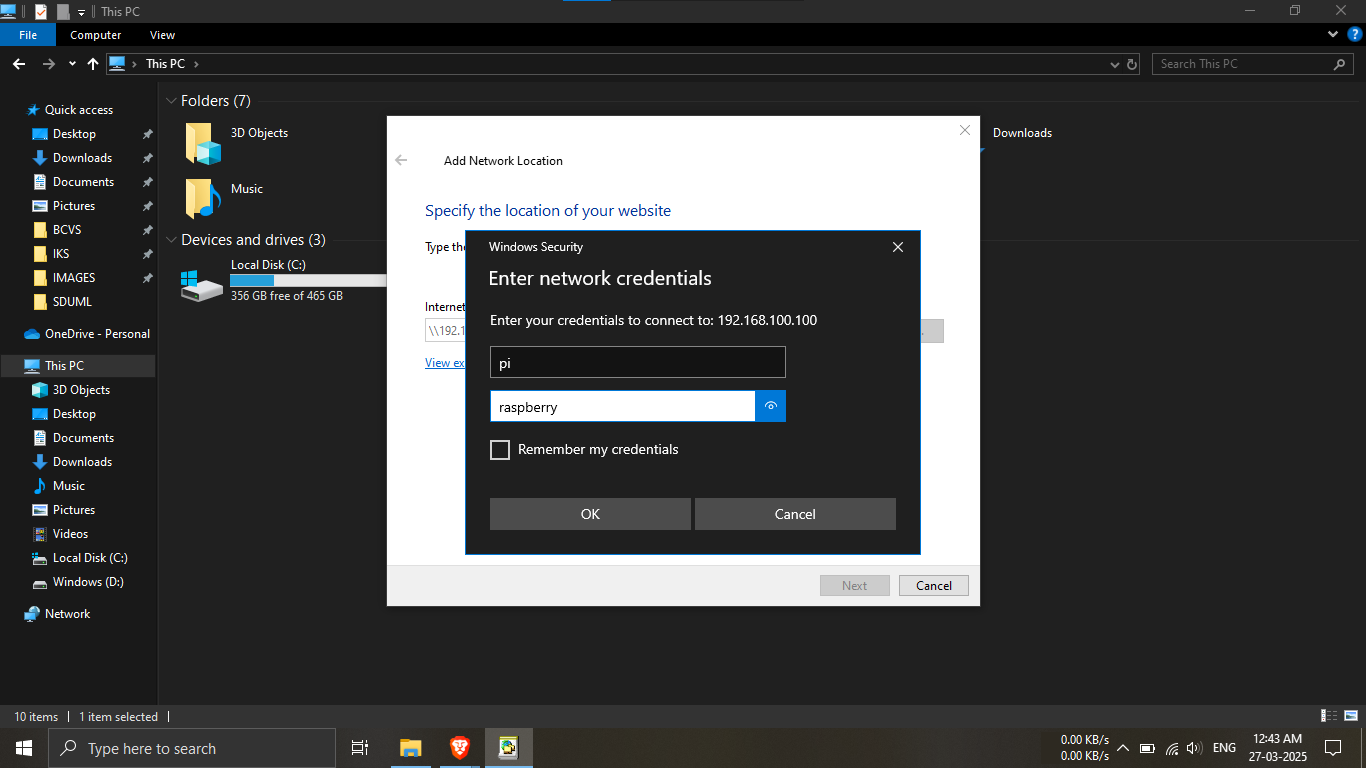
Step 22.6: Refer to the image shown on the guide page
for correct credential format.
🖼️ Visual confirmation helps avoid login errors.
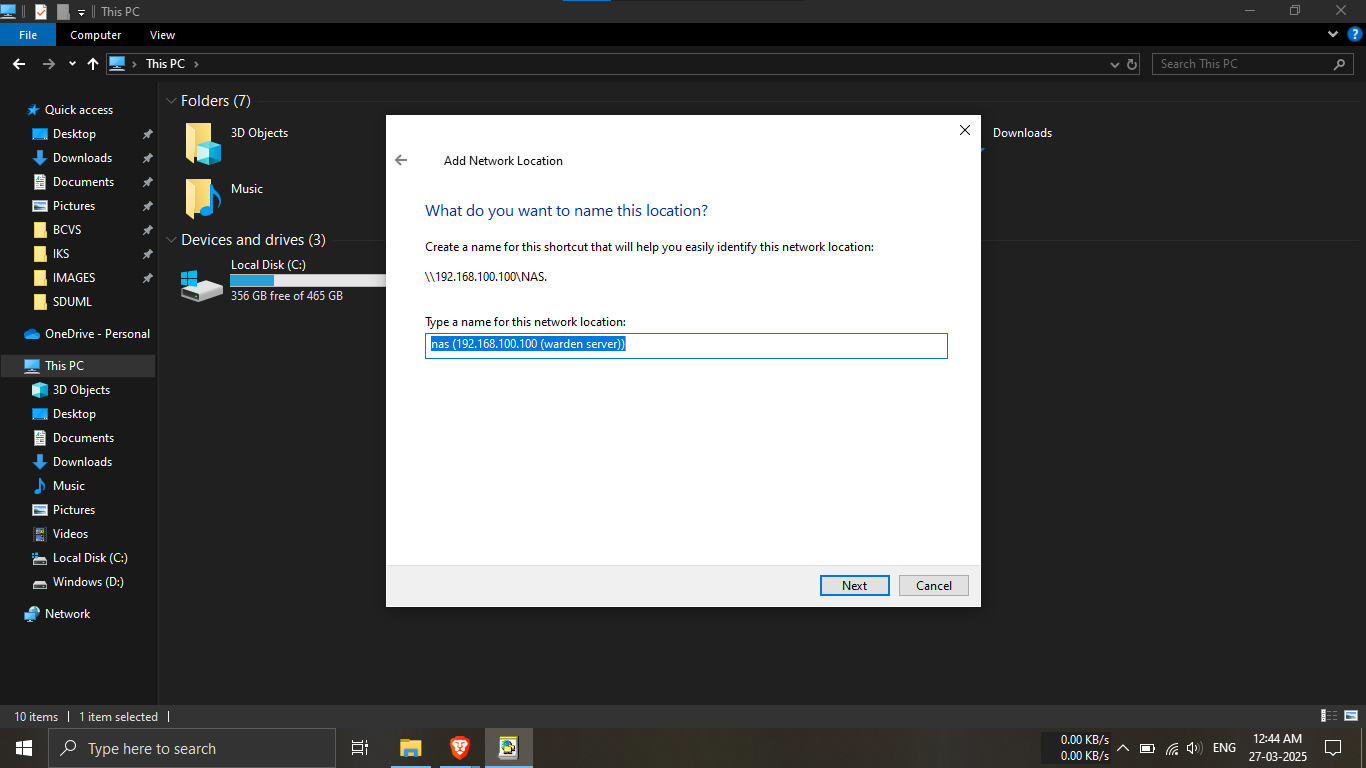
Step 22.7: Name your NAS share for File Explorer.
🔹Breakdown:
-----The setup will ask “What do you want to name this
location?”
-----This name is only visible to you.
💡 Choose something meaningful and identifiable!
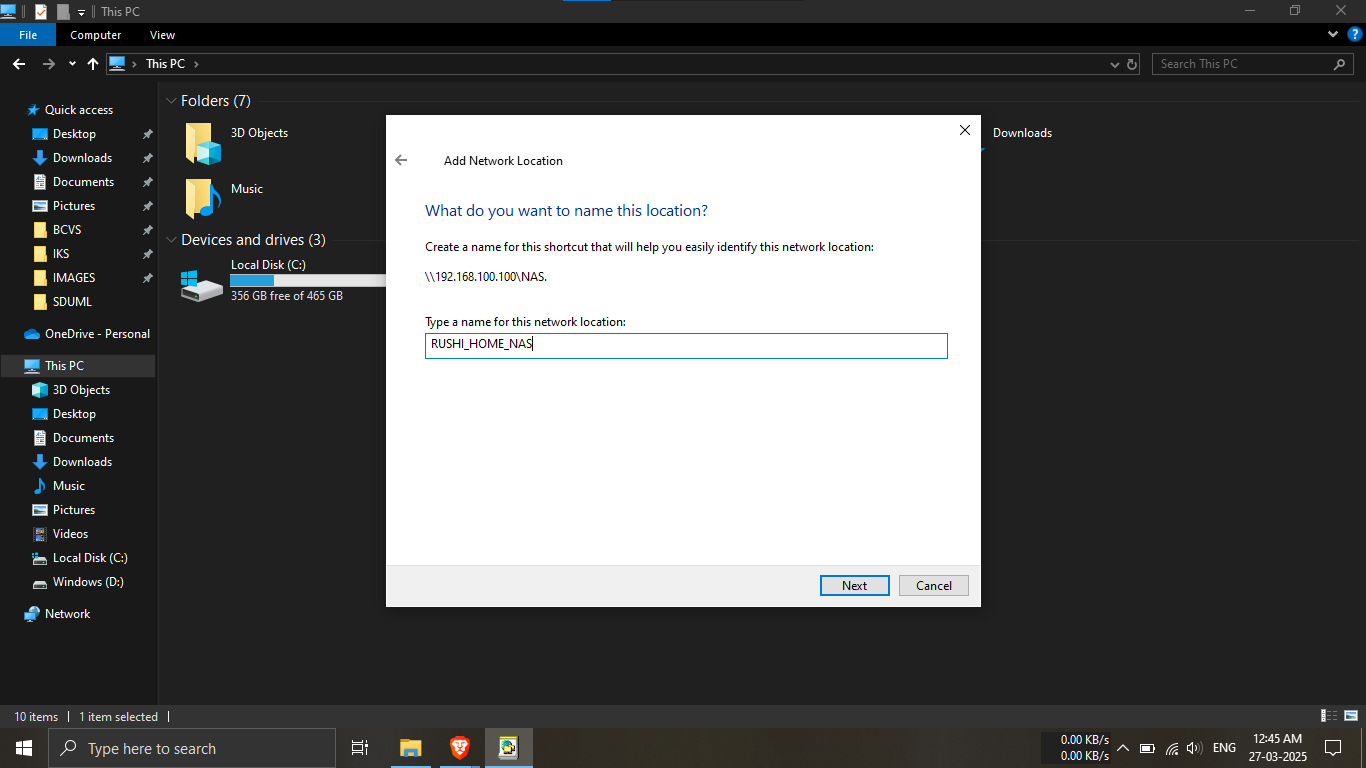
Step 22.8: Enter your preferred NAS label.
🔹Breakdown:
-----Example: "RUSHI_HOME_NAS"
-----Click "Next" to continue.
✅ This name will appear under “This PC” in File
Explorer.
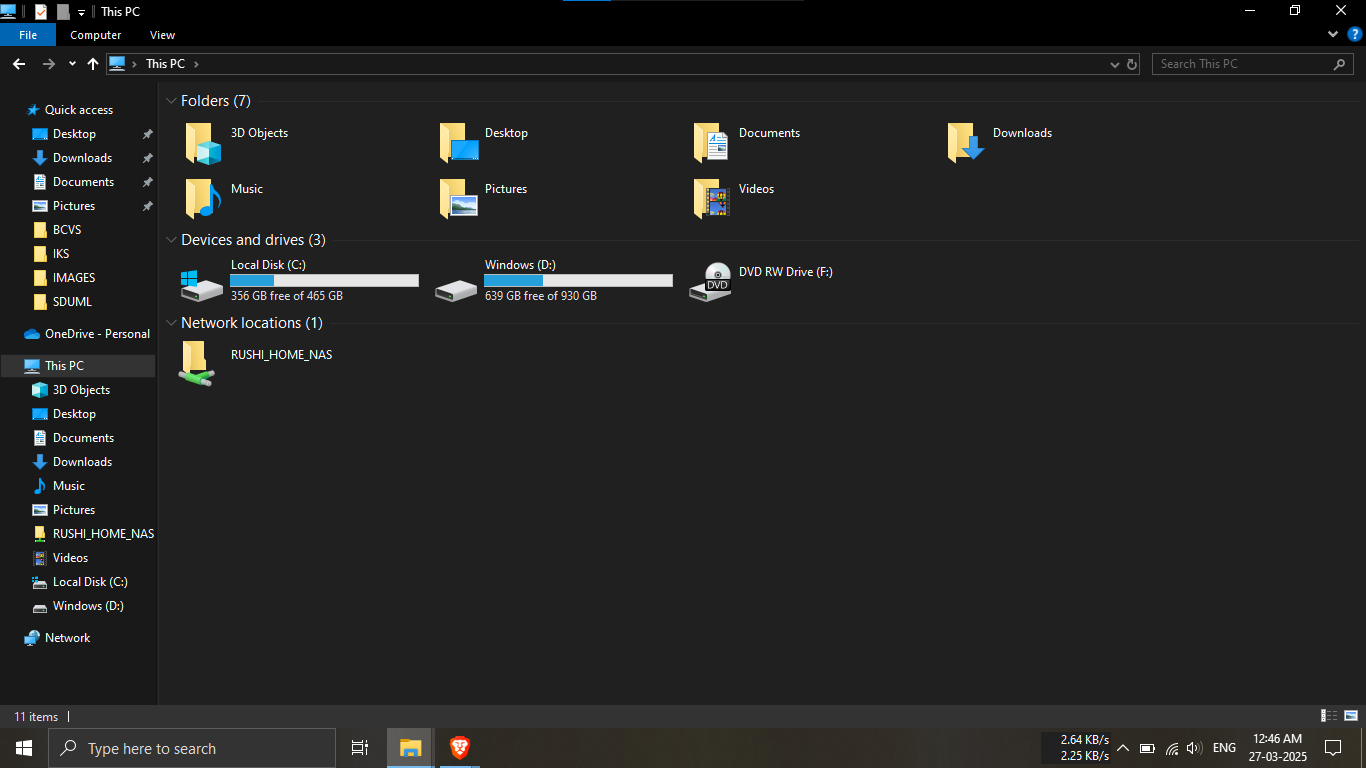
Step 22.9: Network setup complete!
🔹Breakdown:
-----Your NAS folder is now available directly in File
Explorer.
-----It behaves just like a local folder.
📁 Use it for storing, editing, or sharing files across
your network with ease!
⚠️ Forgot your NAS login credentials?
👉 Head back to
Phase 2 - Steps 21.1 to 21.3
where you created the username and password for NAS
access.
🔐 These credentials are essential for accessing your shared
folder over the network.
Make sure to note them down somewhere safe!
PHASE_3_COMPLETE