Install & Configure Raspberry Pi Services
In this phase, you’ll transform your Raspberry Pi into a functional home server by installing and configuring services such as media servers and repositories.
These services enable your Raspberry Pi to host applications,
manage media, and provide network-based functionality across your
setup.
👇👇👇👇👇
PHASE_4_START
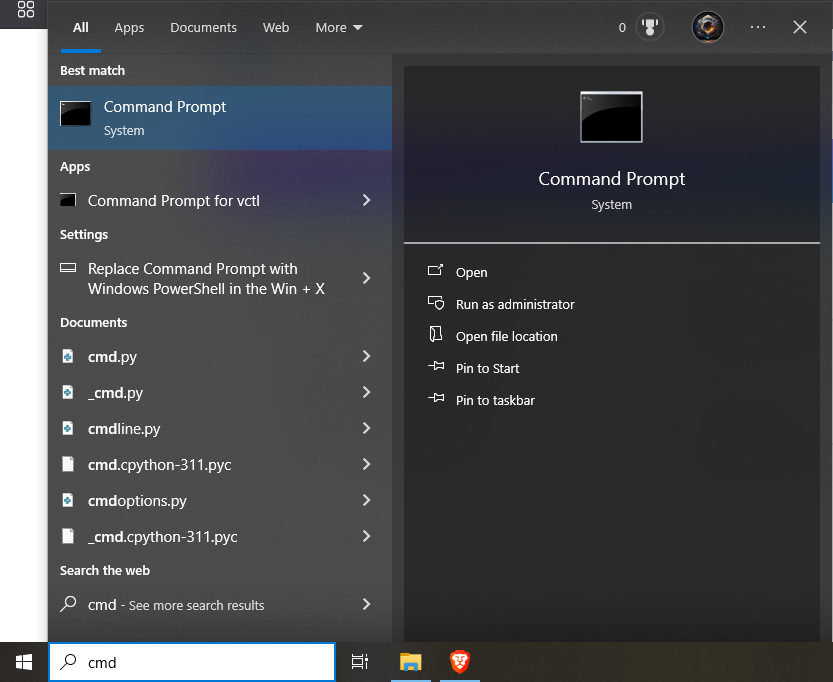
Step 23.1: Open the Command Prompt on your computer.
🔹Breakdown:
-----Click the Start menu (Windows icon
in bottom-left corner).
-----Type cmd in the search bar.
-----Press Enter or click on
Command Prompt from the results.
💡 You’ll use CMD to SSH into your Raspberry Pi and
perform remote configurations! 💻🖱️
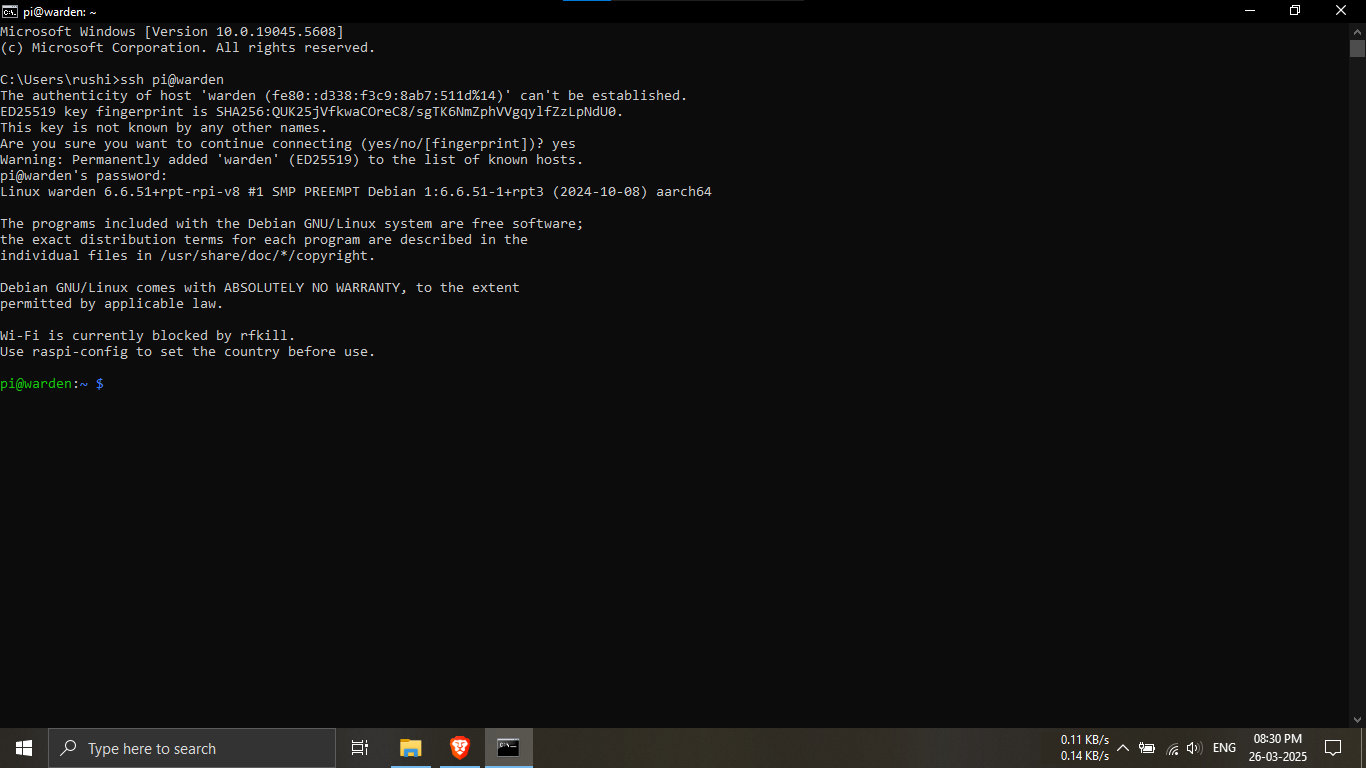
Step 23.2: SSH into your Raspberry Pi using Command
Prompt.
🔹Breakdown:
-----In the Command Prompt window, enter the following
command:
ssh <username>@<ip_address_of_RPI>
-----Or if using a hostname:
ssh <username>@<localname>
-----When prompted, enter your configured password
(e.g., root).
💡 Example: ssh pi@192.168.100.101 or
ssh pi@warden 🧠🔐
🛑 If you get a trust prompt, type yes and
press Enter.
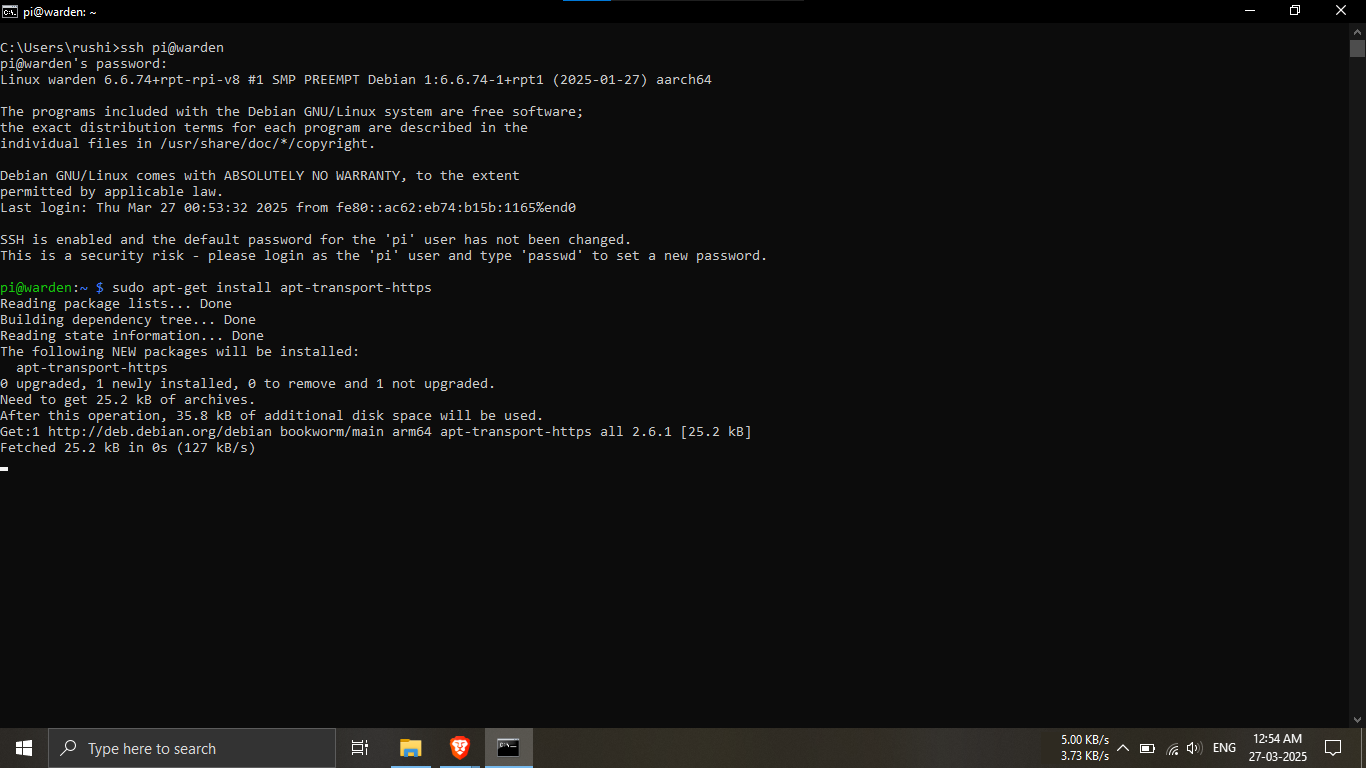
Step 23.3: Install apt-transport-https package on your
Pi.
🔹Breakdown:
-----After SSH login, run this command to install a
required transport protocol.
sudo apt-get install apt-transport-https
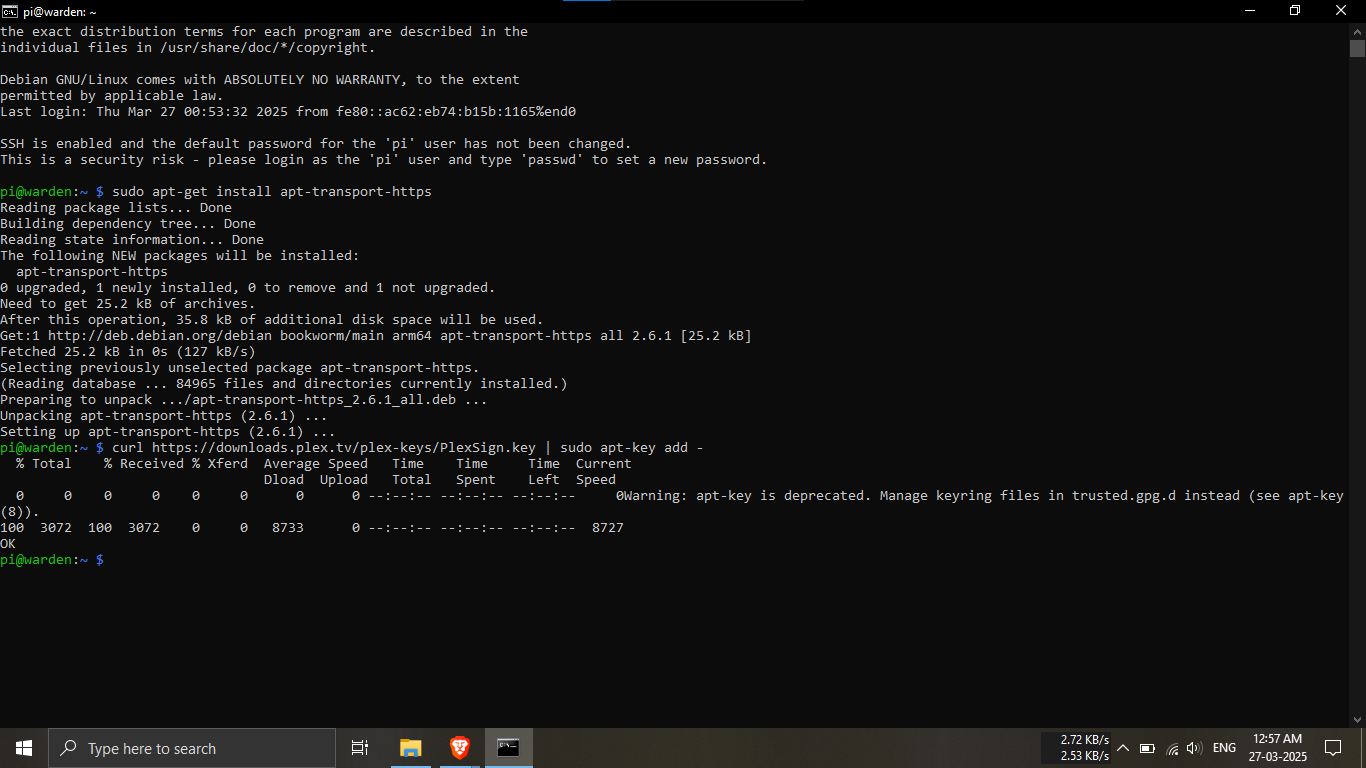
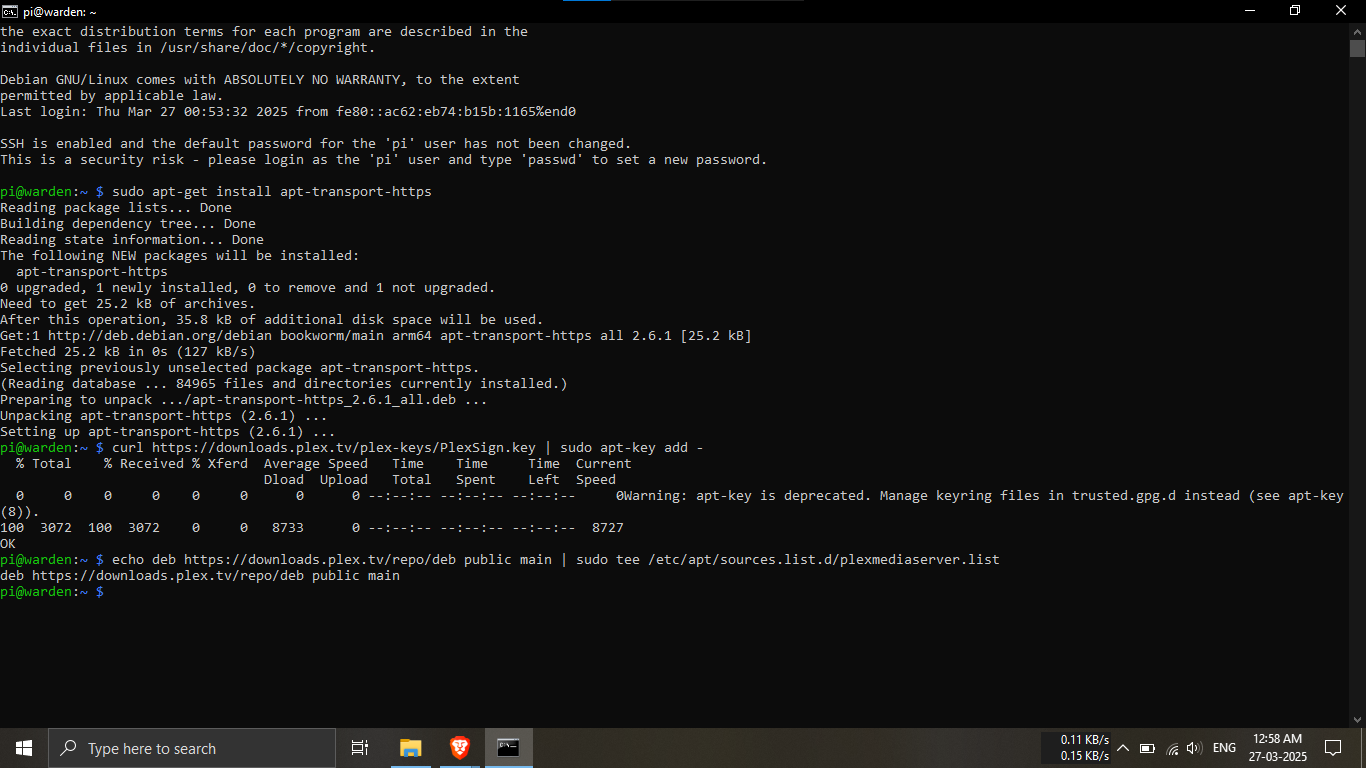
Step 23.4: Add Plex’s public key to the system.
🔹Breakdown:
-----This command downloads and adds the Plex repository
key.
curl https://downloads.plex.tv/plex-keys/PlexSign.key | sudo apt-key add -
Step 23.5: Add the Plex repository to your APT
sources.
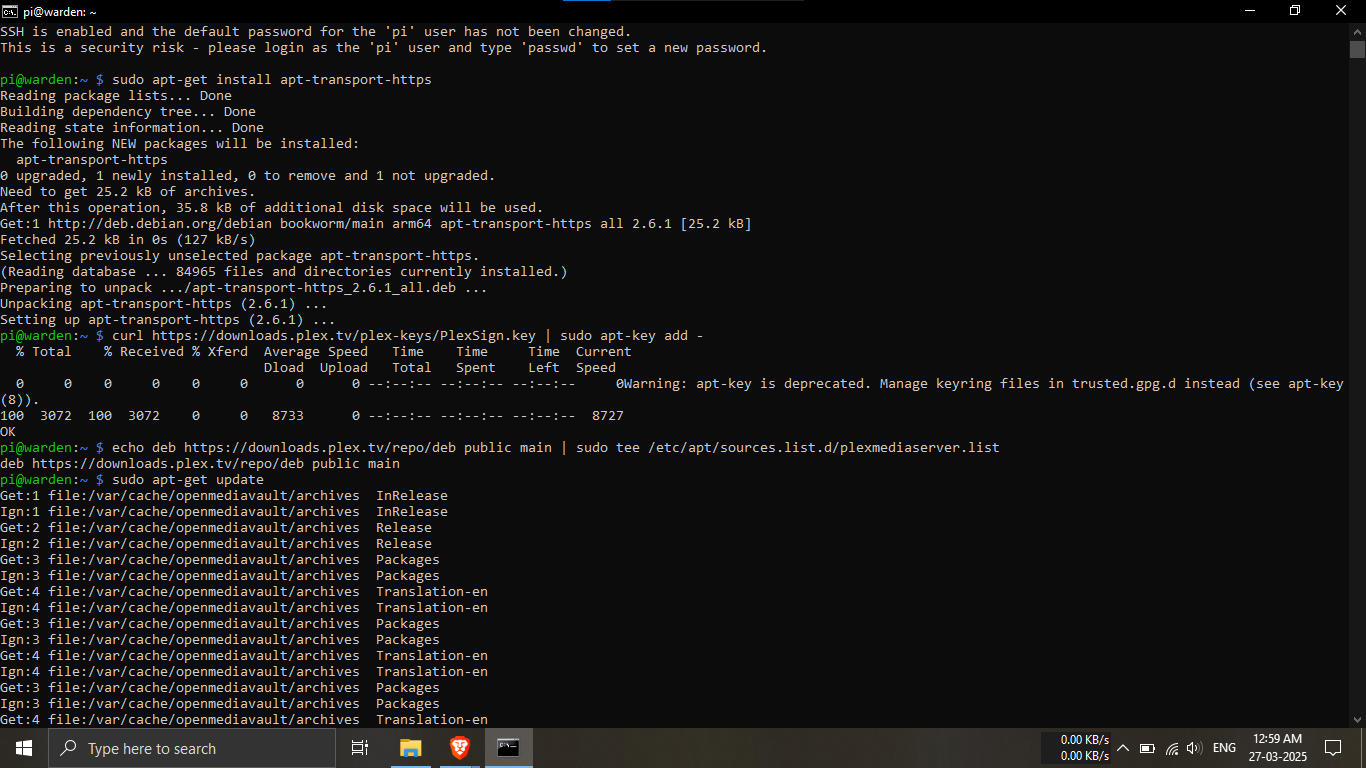
🔹Breakdown:
-----Run the following command to register the Plex
package source.
echo deb https://downloads.plex.tv/repo/deb public main | sudo tee /etc/apt/sources.list.d/plexmediaserver.list
Step 23.6: Update your package list.
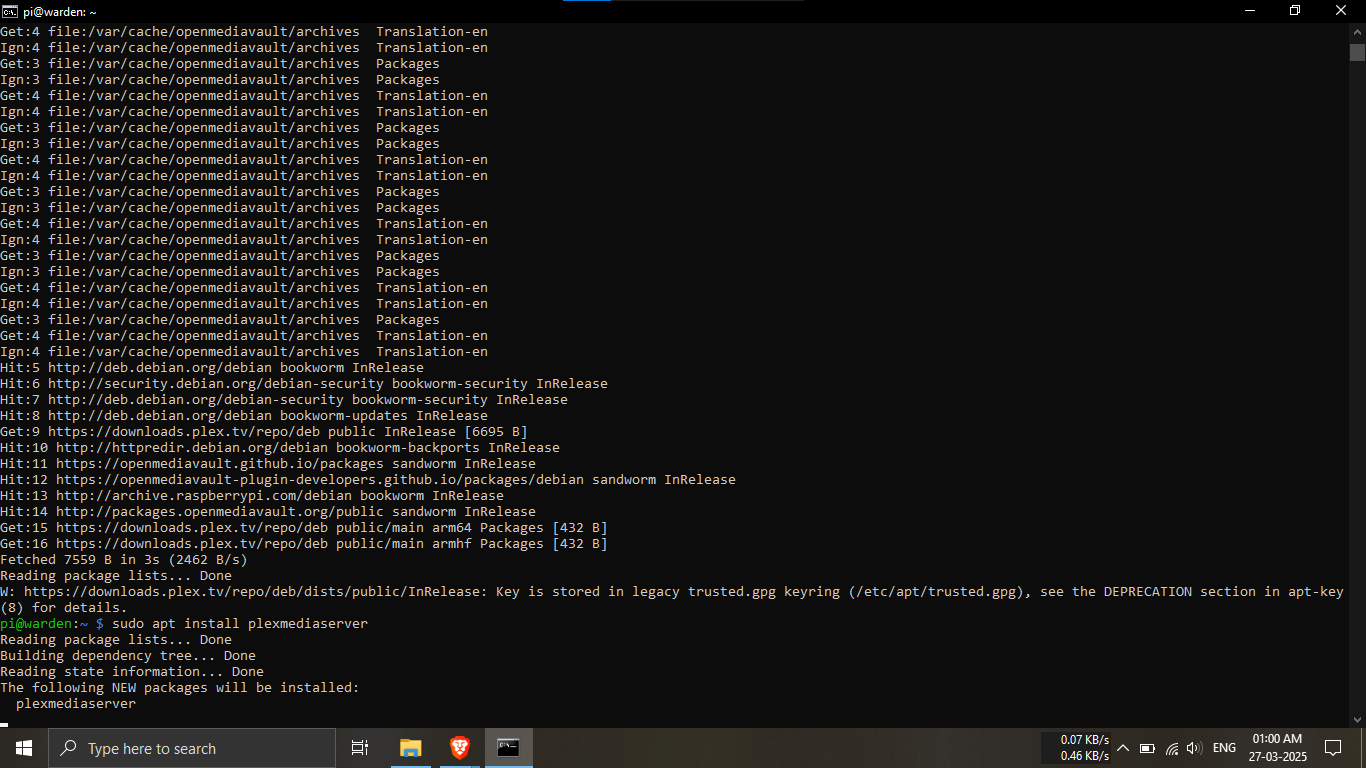
🔹Breakdown:
-----Make sure your Pi knows about the new Plex
packages.
sudo apt-get update
Step 23.7: Install Plex Media Server.
🔹Breakdown:
-----This installs Plex Media Server on your Raspberry
Pi.
sudo apt install plexmediaserver
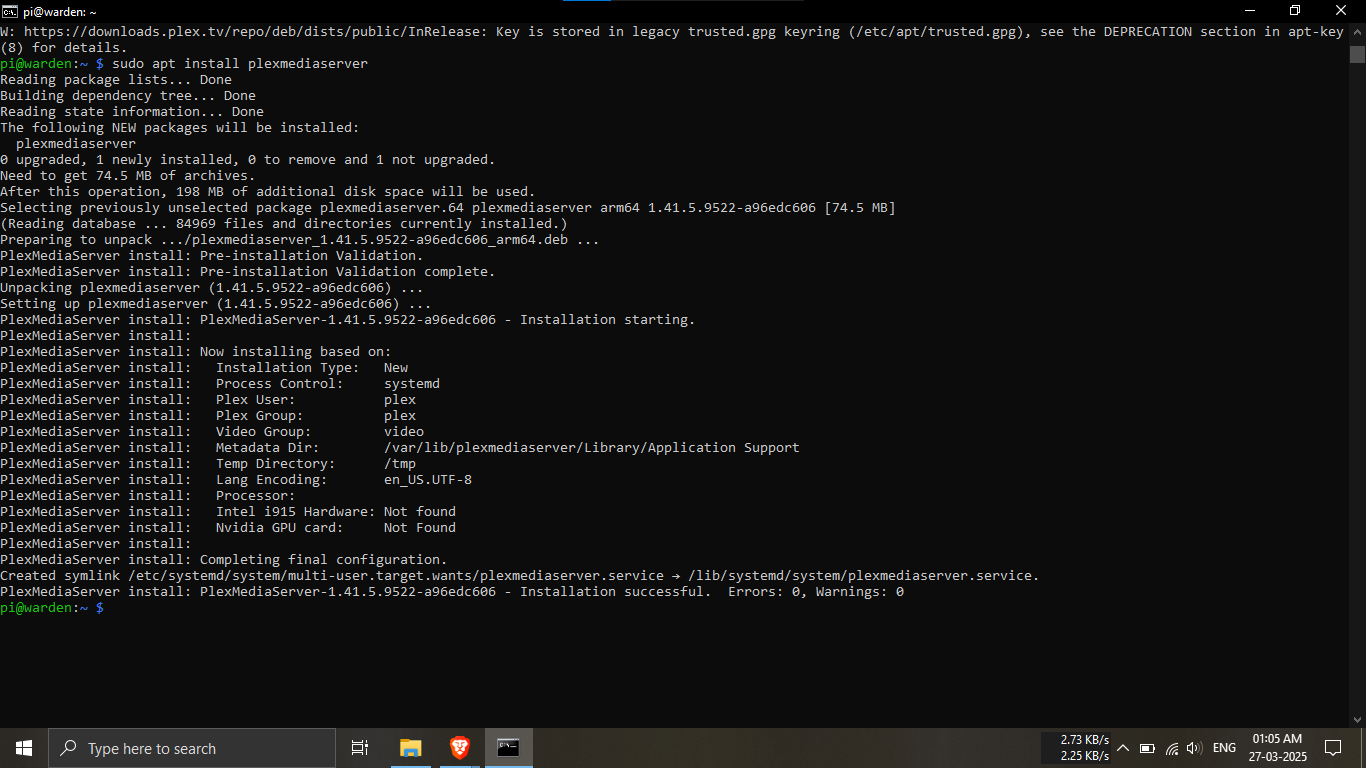
Step 23.8: Verify the installation output.
🔹Breakdown:
-----Check the terminal for output confirming successful
installation of Plex Media Server.
-----Your command prompt should resemble the sample
output shown in this guide.
💡 If it looks similar, you're good to go! ✅📦
Note: Please make sure to
sign in or sign up using an
email account that is valid, accessible, and ready to
use.
This email account will be used later for
remote access configurations
and other sign-in processes.
✅ Using a single, reliable account helps avoid confusion
and reduces the overhead of managing important notifications
and permissions.

Step 24.1: Open Plex in your browser.
🔹Breakdown:
-----Open any web browser.
-----Type
ip_address_of_the_RPI:32400/web into the
address bar.
-----Example: 192.168.100.100:32400/web
💡 This IP format allows you to access the Plex server
from your local network! 🌐
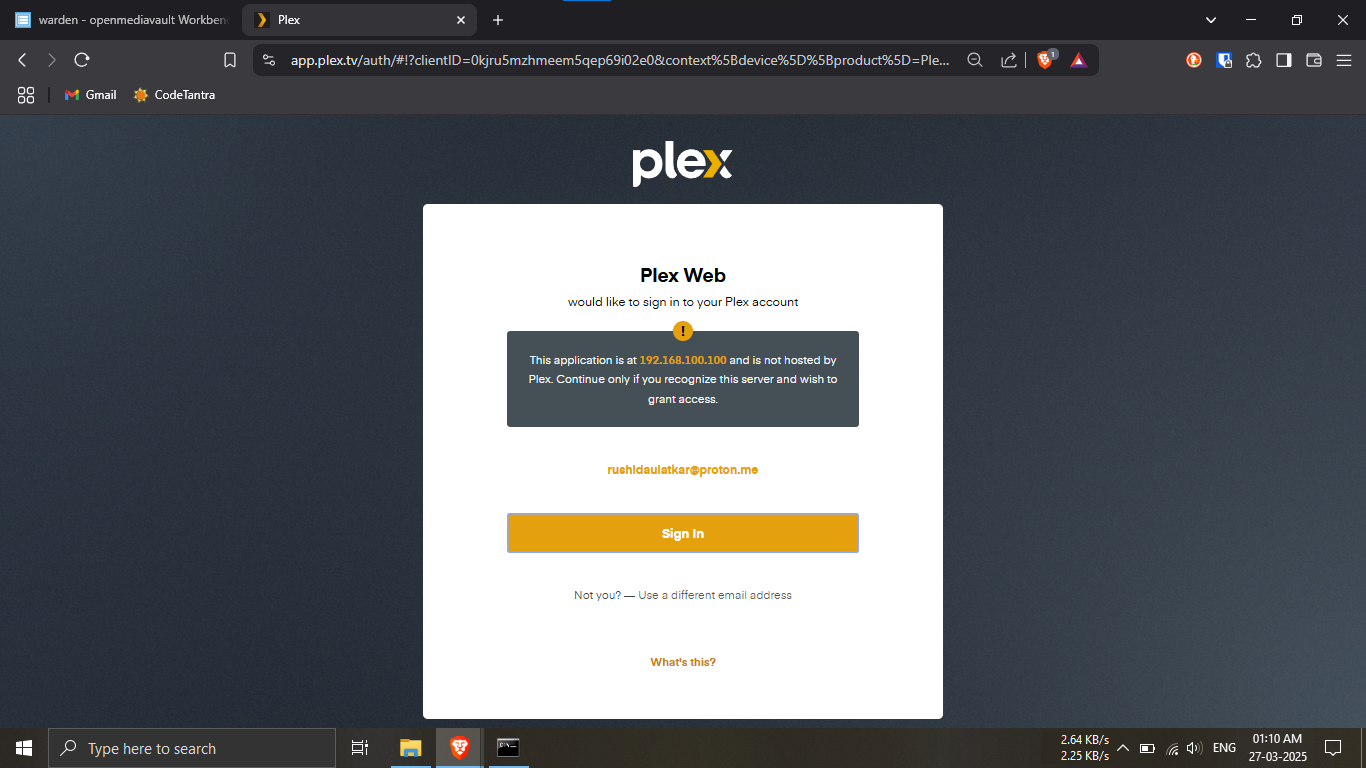
Step 24.2: Sign in to Plex.
🔹Breakdown:
-----Use your existing Plex account credentials.
-----If you don’t have one, click on create account and
register with your email.
💡 A Plex account gives you access to features like
remote streaming and syncing! ✨
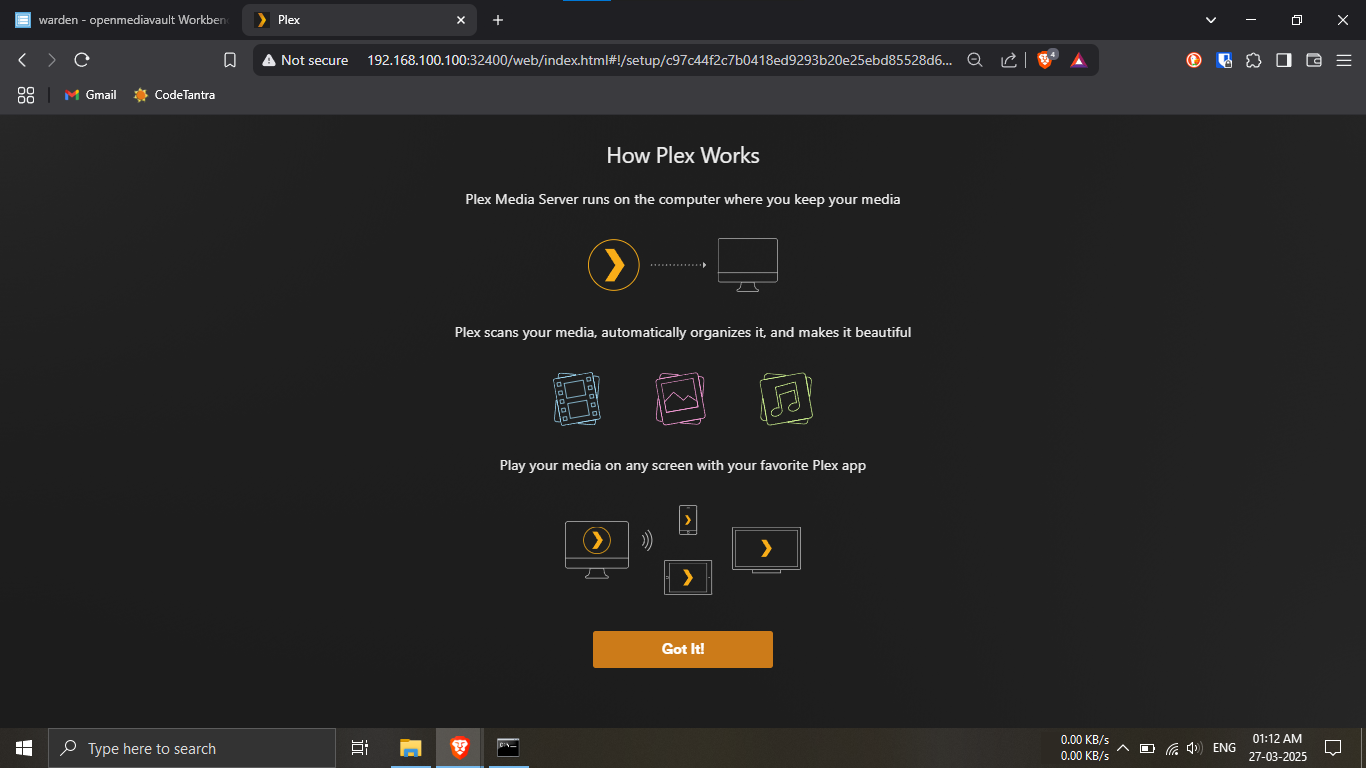
Step 24.3: Acknowledge the Plex intro.
🔹Breakdown:
-----Read the short intro explaining how Plex works.
-----Click on the “Got it!” button to
proceed.
💡 This gives a quick overview of Plex's capabilities —
worth a glance! 👀
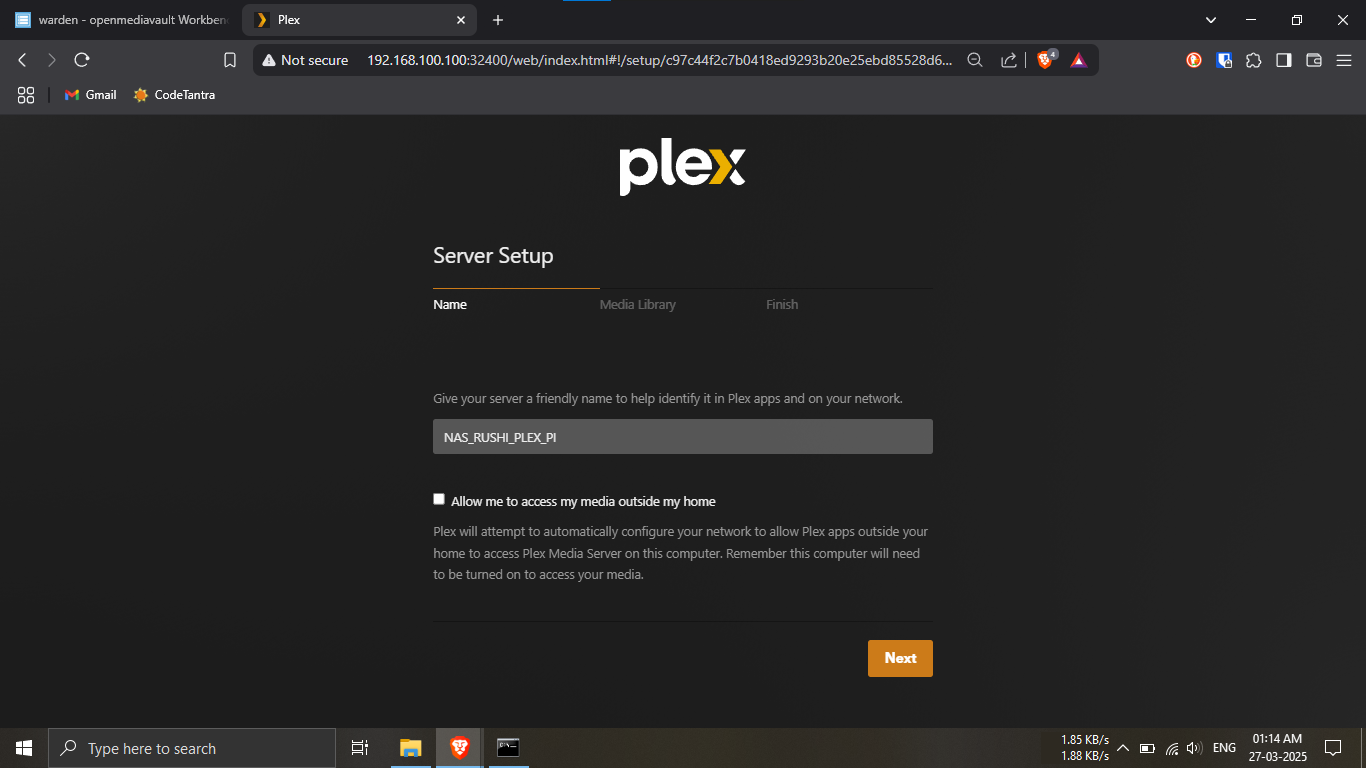
Step 24.4: Name your server and allow external
access.
🔹Breakdown:
-----Enter a server name (same as your shared folder
name is recommended).
-----Check the box
"Allow me to access my media outside my home".
-----Click Next to continue.
💡 Matching the name with your shared folder makes
things easier to manage! 🗂️🧩
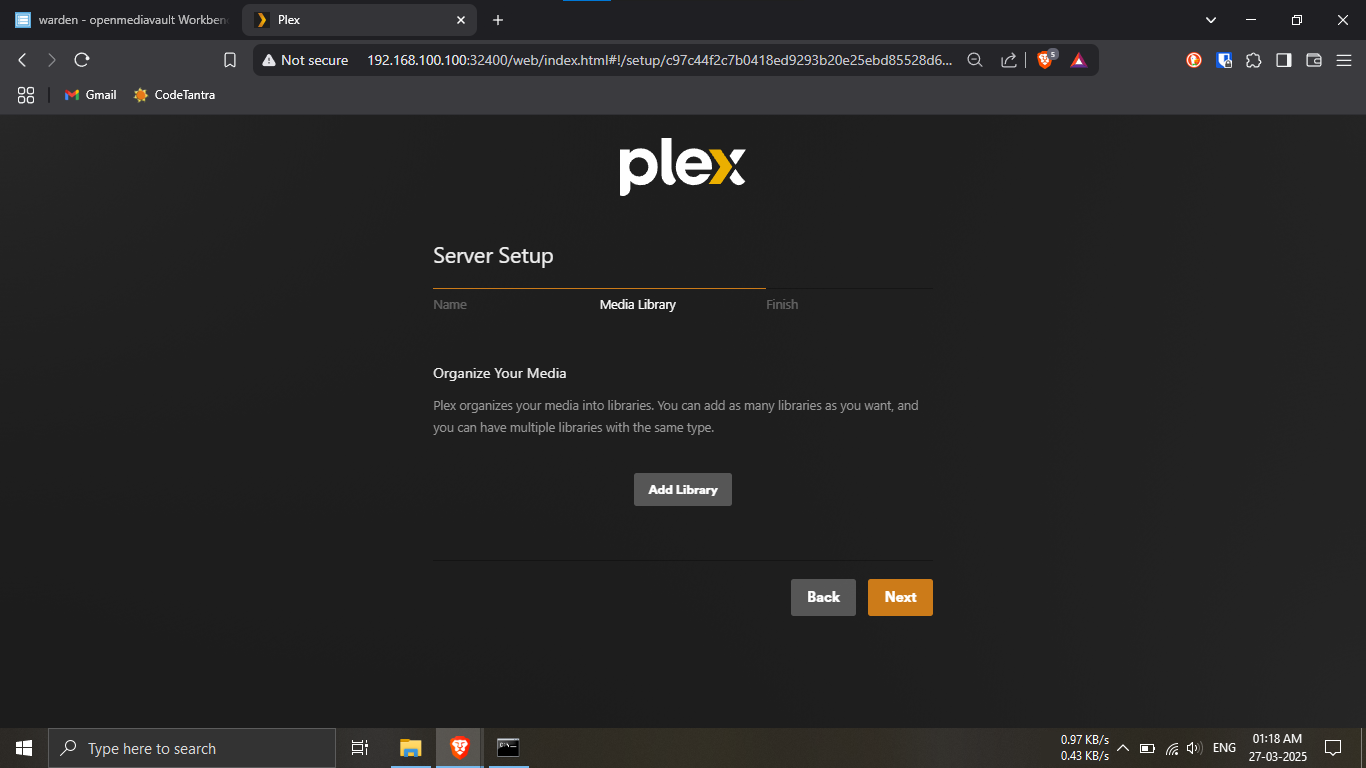
Step 24.5: Add your first library.
🔹Breakdown:
-----Click on the
Add Library button.
💡 Libraries organize your media content. You can create
multiple ones later! 📚
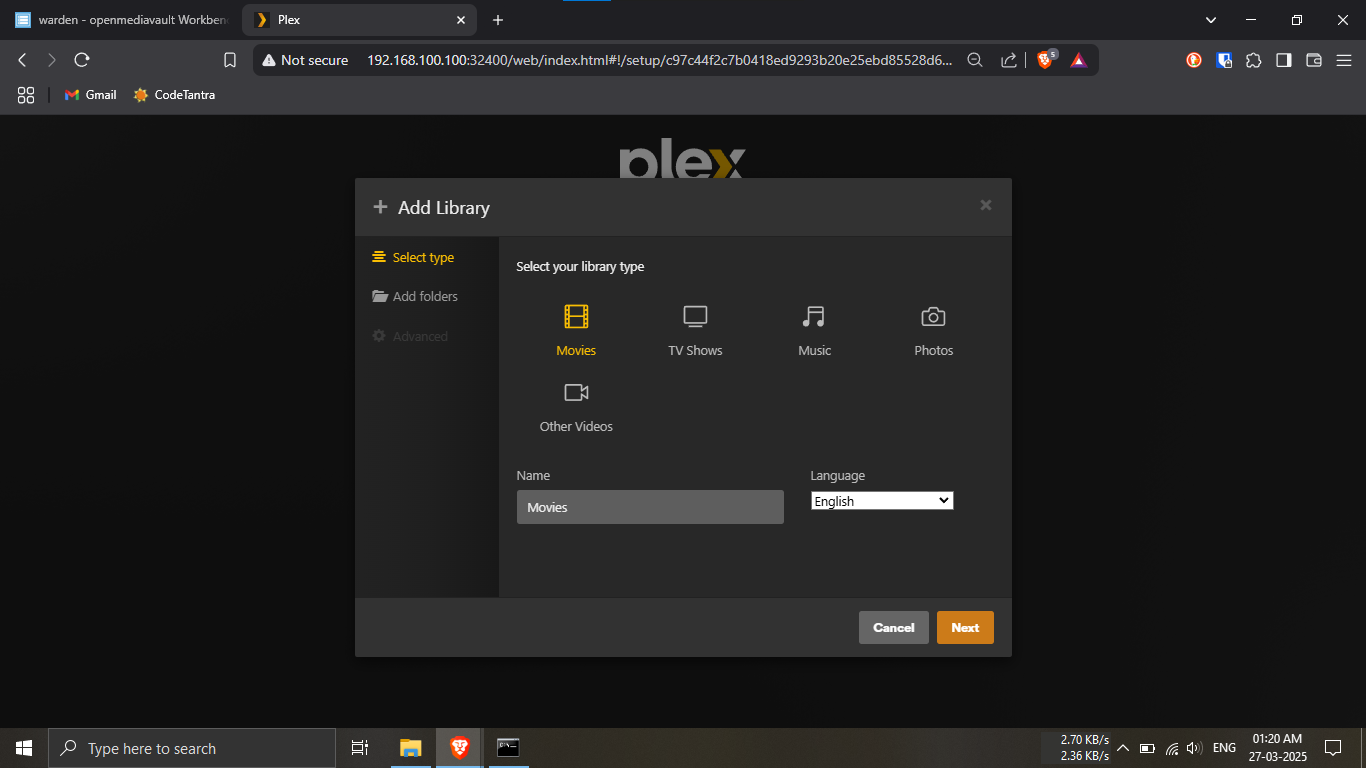
Step 24.6: Choose the type of media to store.
🔹Breakdown:
-----Select Movies as the Library
type.
-----Name it Movies (we’ll store movies
& other videos).
-----Click Next and minimize your
browser window.
💡 You can create libraries for TV shows, music, and
more — organize as you like! 🎬📁
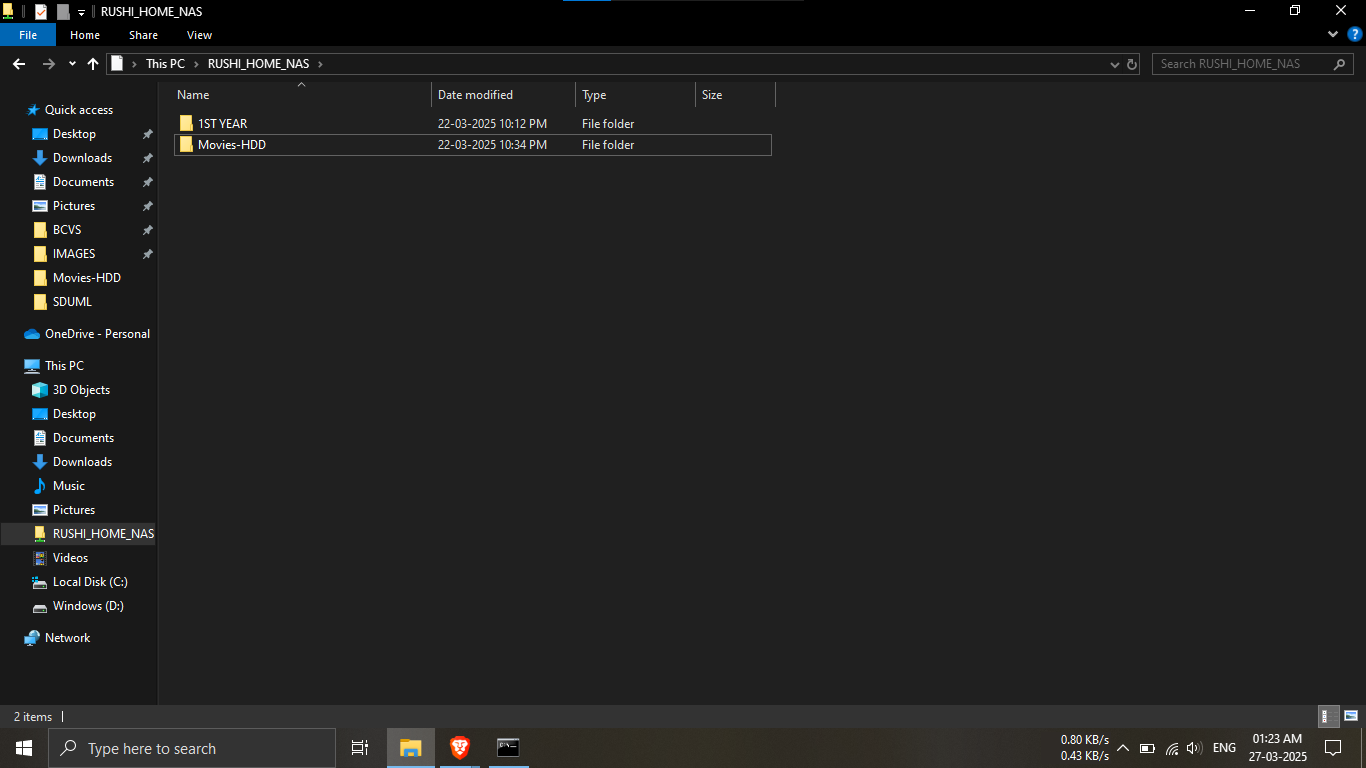
Step 24.7: Create a media folder in network location.
🔹Breakdown:
-----Open File Explorer and navigate to the network
location.
-----Right-click in empty space and choose
New Folder.
-----Name it Movies-HDD.
-----Close the File Explorer and return to the
browser.
💡 Keep your folder names clear and consistent for
smooth library setup! 📂✅
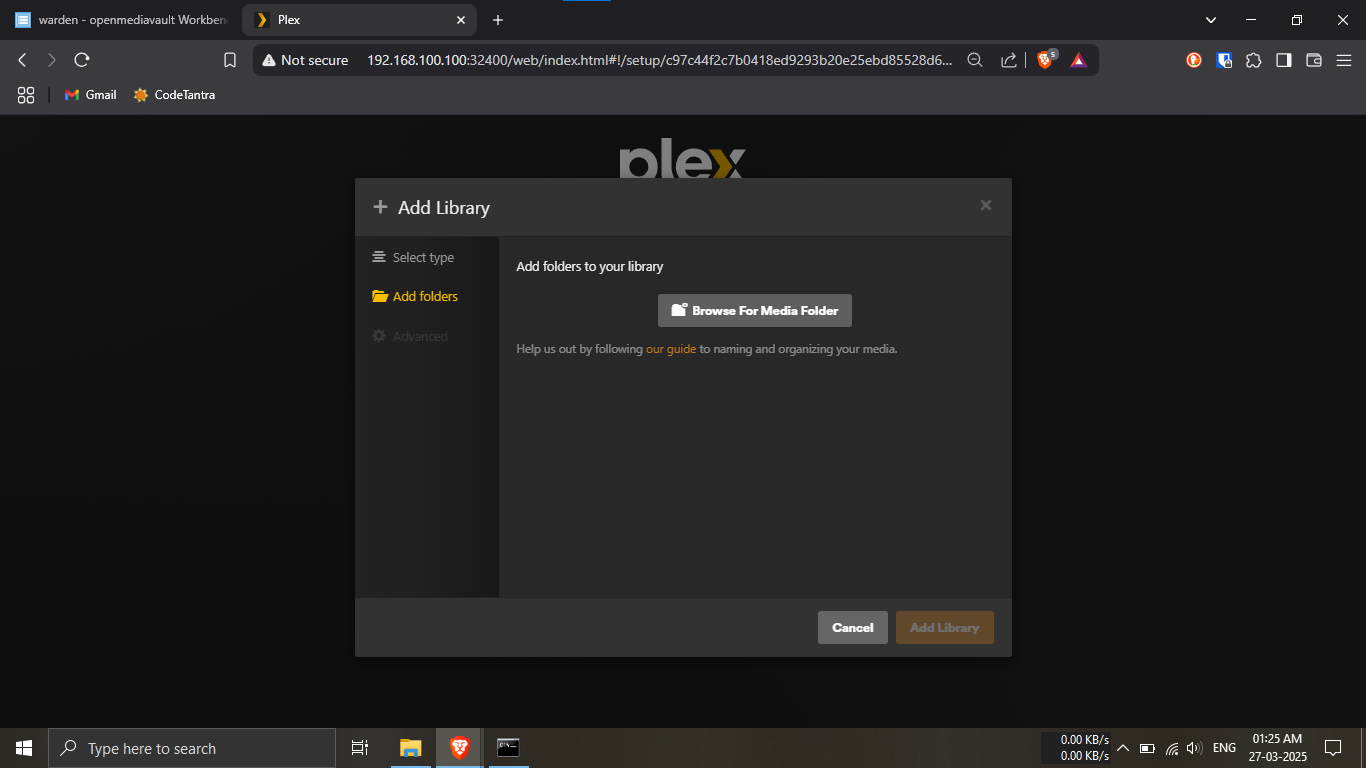
Step 24.8: Browse for your media folder.
🔹Breakdown:
-----In the browser, click on
Browse For Media Folder.
💡 This lets Plex know where your media files are
stored! 🗃️🔍
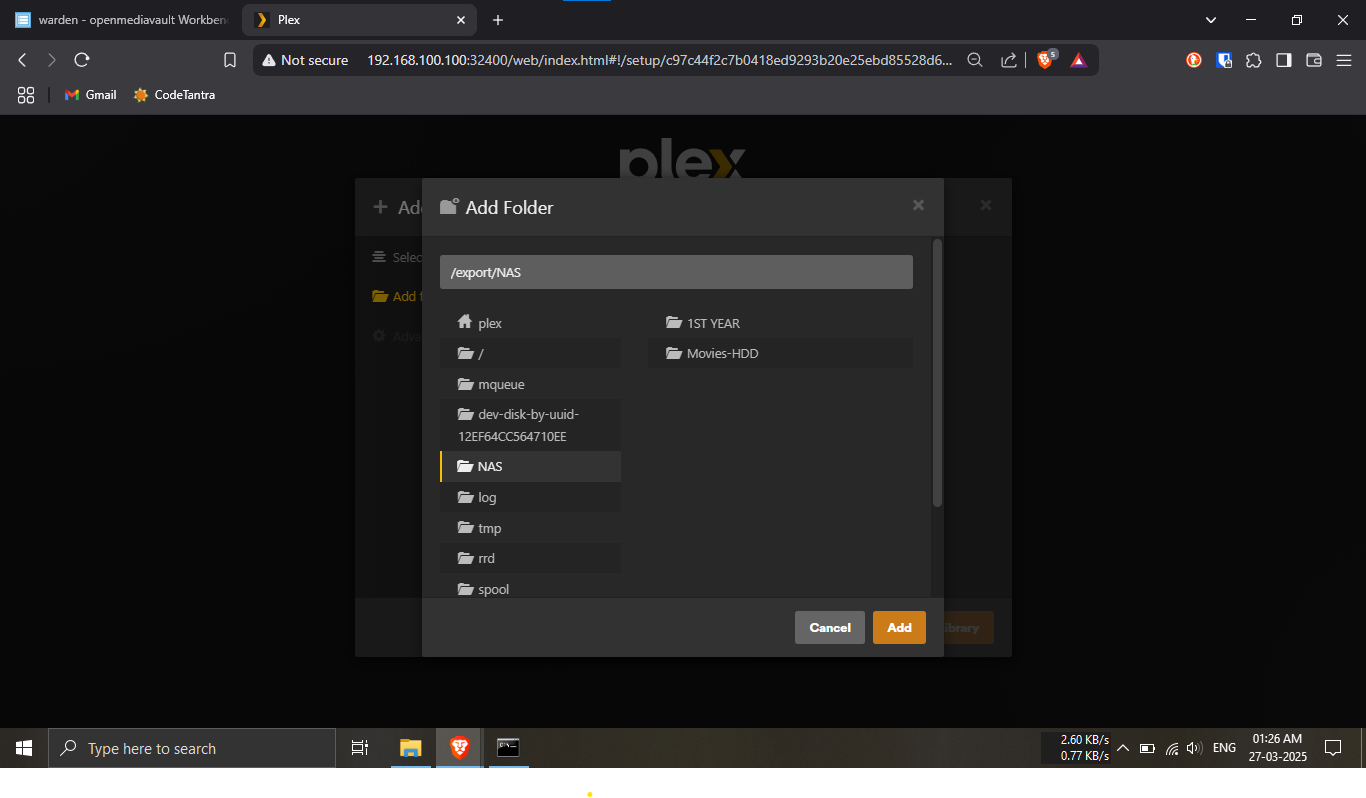
Step 24.9: Select the folder you just created.
🔹Breakdown:
-----Navigate to the network location.
-----Select the folder
Movies-HDD.
💡 Make sure you’re choosing the correct folder so media
shows up properly! 🎞️✔️
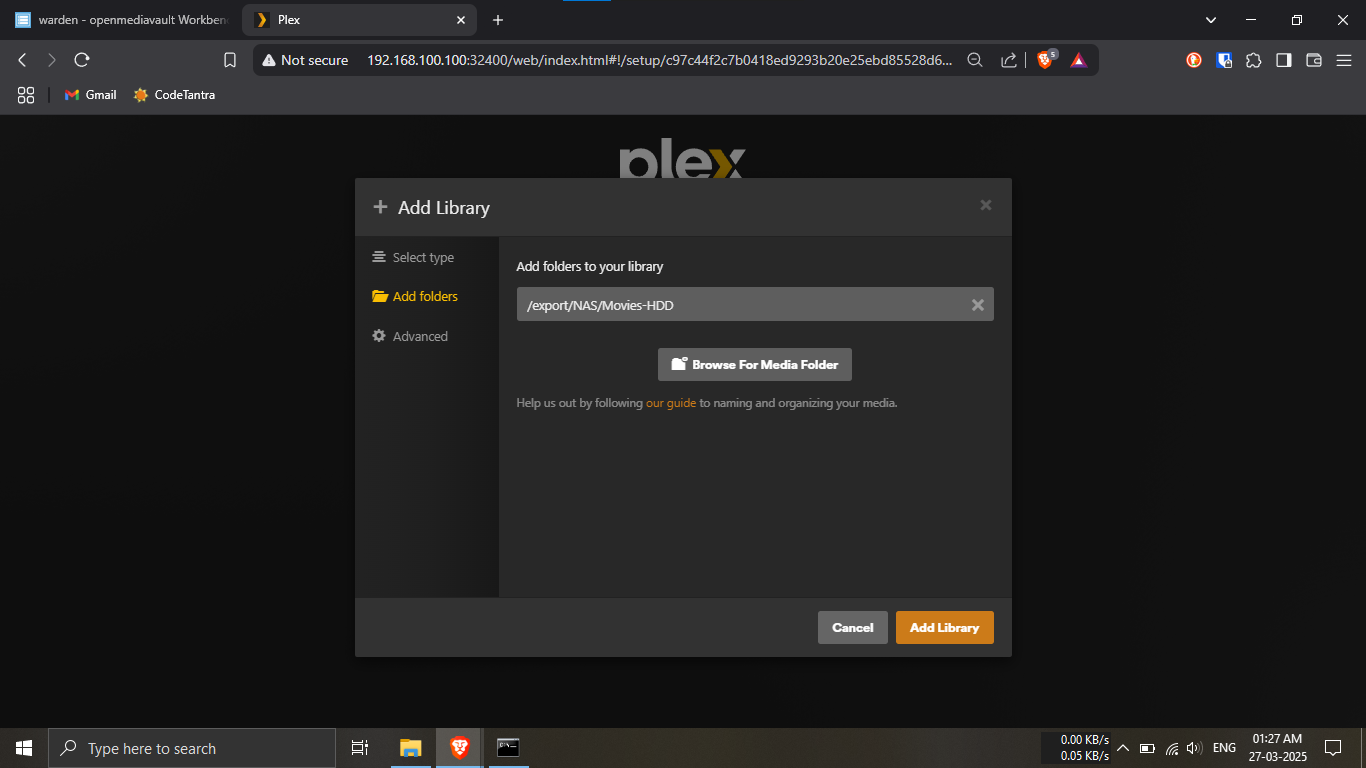
Step 24.10: Confirm folder and add library.
🔹Breakdown:
-----Review the folder path and preview image.
-----Click on Add Library.
💡 Your library is now linked to the folder — almost
done! 🎉📁
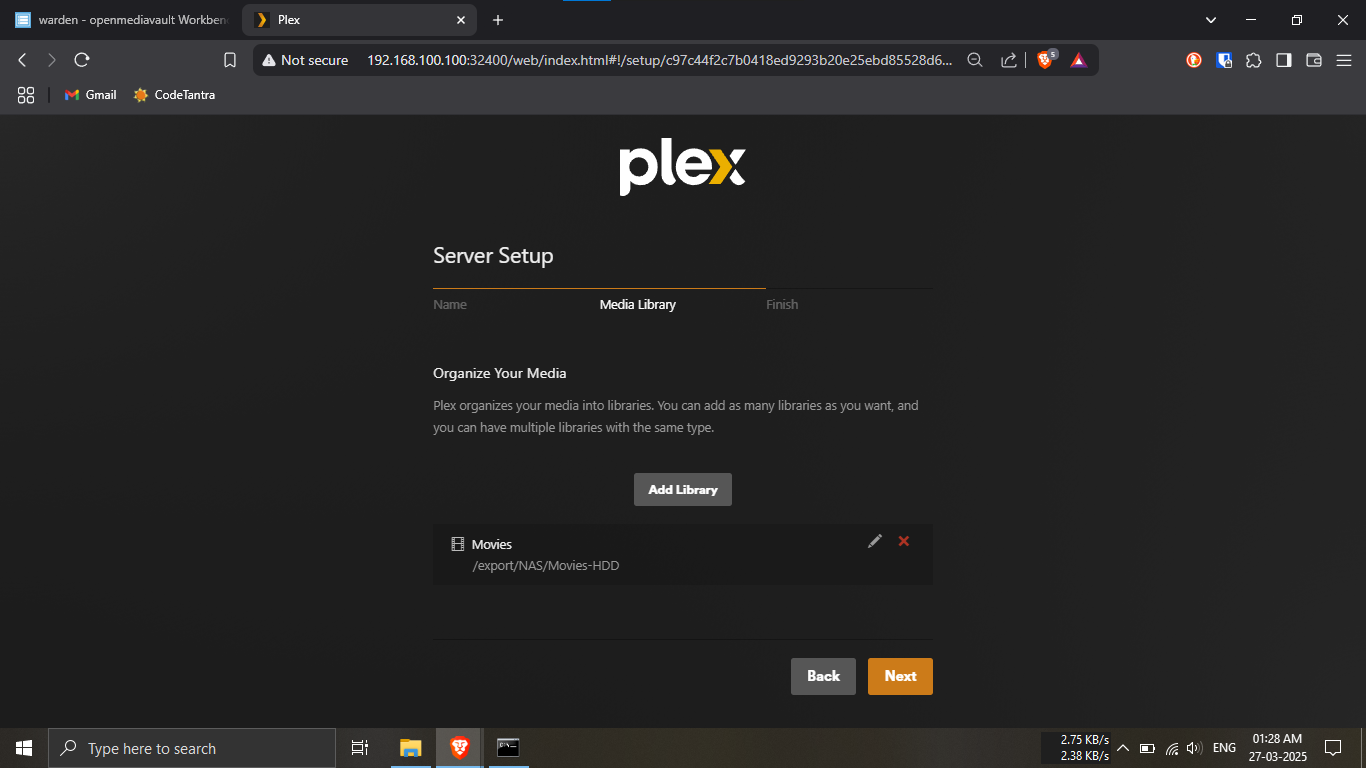
Step 24.11: Finalize the setup.
🔹Breakdown:
-----Click on the Next button to
complete the process.
💡 You’re all set! Start enjoying your media with Plex.
🎬🍿
Note: You’ve successfully
created your Plex account and
configured it with your Raspberry Pi NAS setup! 🎉
You can now access your media
locally via Plex Media Server.
👉 For local access demonstration, refer to
Phase 6.
🌐 To enable remote access, continue with Phase 5.
PHASE_4_COMPLETE